

Supabase vs MongoDB Atlas: Best Cloud Database 2026 is an open-source Backend-as-a-Service (BaaS) built on PostgreSQL 17. It is best for relational data, startups, and full-stack web/mobile apps requiring built-in Auth, S3-like Storage, and auto-generated APIs. MongoDB Atlas is a managed document database best for unstructured JSON schemas, dynamic product catalogs, and enterprise workloads that require native horizontal sharding across multi-cloud infrastructure.
Supabase vs MongoDB Atlas: The Best Cloud Database for Developers in 2026 Choosing a primary cloud database used to be a straight choice between data models: rigid SQL tables versus flexible NoSQL JSON documents.
In 2026, the evaluation framework has fundamentally changed. Modern developer teams don’t just evaluate database engines—they evaluate entire ecosystem workflows. You need instant real-time sync, embedded vector search for Retrieval-Augmented Generation (RAG), zero-latency connection pooling for serverless runtimes, and strict security guarantees.
This shift drives one of the most debated architectural choices today: Supabase vs. MongoDB Atlas
This editorial guide breaks down their core architecture, developer experience (DX), true Total Cost of Ownership (TCO), vector search capabilities, and long-term scaling mechanics.
1. The Core Paradigm Shift: Managed Engine vs. Integrated BaaS
Comparing Supabase directly to MongoDB Atlas often leads to a false equivalence. You aren’t just choosing between PostgreSQL and BSON—you are choosing between a unified backend platform and a specialized database engine.
|                  ARCHITECTURAL TOPOLOGY COMPARISON                |
+-------------------------------------------------------------------+
|                                                                   |
|   SUPABASE (Integrated Backend)       MONGODB ATLAS (Specialized) |
|   +-----------------------+       +---------------------------+   |
|   |  Next.js / Frontend   |       |   Next.js / Frontend      |   |
|   +-----------+-----------+       +-------------+-------------+   |
|               |                                 |                 |
|               v (Direct DB/REST)                v (Custom API)    |
|   +-----------------------+       +---------------------------+   |
|   |  Supabase Platform    |       |   Node.js / Express API   |   |
|   |  * PostgreSQL 17      |       +------+------+------+------+   |
|   |  * Auth (GoTrue)      |              |      |      |          |
|   |  * Storage & Realtime |              v      v      v          |
|   |  * Auto PostgREST     |            Auth0  AWS S3  Pusher      |
|   |  * Vector (pgvector)  |                     |                 |
|   +-----------------------+                     v                 |
|                                   +---------------------------+   |
|                                   |    MongoDB Atlas Engine   |   |
|                                   |  * BSON Document Store    |   |
|   Unified Infrastructure Layer    |  * Atlas Vector Search    |   |
|   Single Vendor & Bill            +---------------------------+   |
|                                     Multi-Vendor Microservices    |
What is Supabase?
Supabase is an open-source Backend-as-a-Service built around PostgreSQL 17. Instead of requiring developers to manually stitch together separate authentication services, file buckets, and connection proxies, Supabase wraps Postgres with an integrated control plane:
- PostgREST Engine: Automatically inspects your database schema to generate instant, type-safe REST and GraphQL endpoints.
- GoTrue Auth: Handles OAuth, passwordless magic links, passkeys, and JWT verification synchronized directly with your database users.
- Realtime Server: Listens to PostgreSQL Write-Ahead Logs (WAL) to broadcast row-level changes over WebSockets or binary payloads.
- Storage & Edge Functions: Offers S3-compatible bucket storage and Deno 2.x serverless edge functions that execute globally near your users.
What is MongoDB Atlas?
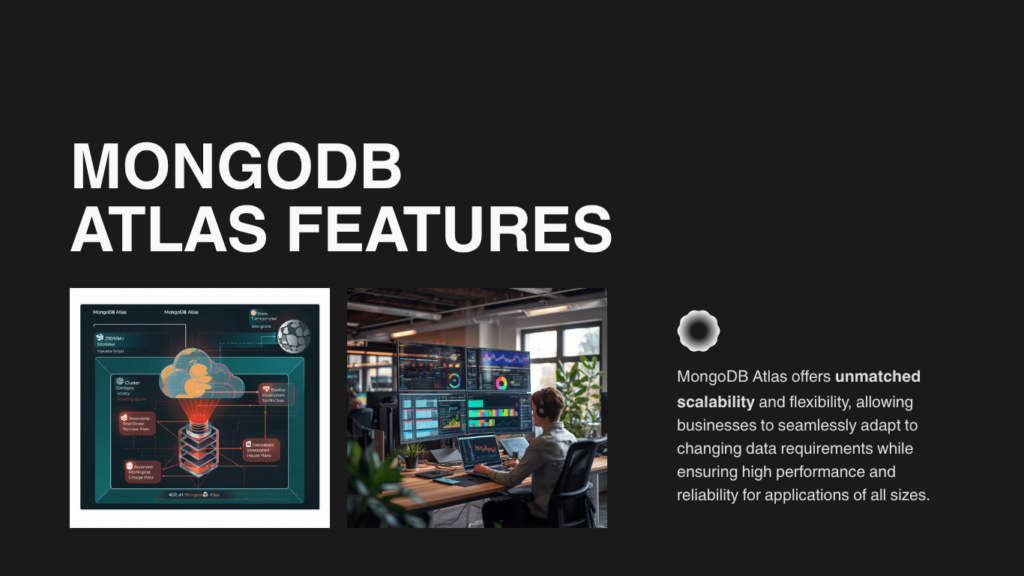
MongoDB Atlas is the managed cloud platform for the MongoDB Document Database. It stores data as dynamic BSON (Binary JSON) documents, emphasizing schema flexibility and distributed systems operations.
Atlas focuses primarily on database infrastructure excellence:
- Multi-Cloud Deployments: Cross-region, multi-cloud clusters spanning AWS, GCP, and Azure concurrently.
- Native Horizontal Sharding: Automated data partitioning across distributed nodes without application downtime.
- Atlas Search & Native Reranking: Built-in full-text search powered by Apache Lucene, featuring native
$rerankaggregation stages. - Isolated Search Nodes: Dedicated hardware nodes specifically tasked with handling heavy vector embeddings and semantic search workloads without impacting primary read/write IOPS.
Senior Architect Tip: If you choose MongoDB Atlas, plan to build or integrate an API middleware layer (Express, NestJS, FastAPI), a third-party auth service (Clerk, Auth0), and file storage (AWS S3). If you choose Supabase, those layers are provided out of the box.
2. Architectural & Developer Experience (DX) Comparison
Schema Flexibility vs. Data Integrity
Supabase relies on strict relational schemas. You define tables, strict column types, foreign key relationships, and integrity rules. While Postgres handles unstructured data effortlessly using the JSONB data type, its main strength is preventing corrupted or orphaned data across interconnected business logic.
MongoDB Atlas gives you schema flexibility at the database layer. Documents within a single collection can contain varying structures. This makes Atlas ideal for rapidly evolving prototypes, event logging, or domain models with thousands of dynamic attributes (e.g., e-commerce catalog specifications).
Query Ergonomics: Declarative SQL vs. Aggregation Pipelines
Fetching related data highlights a stark contrast in everyday developer experience.
Example: Fetching Published Posts with Author Metadata
Supabase Client (@supabase/supabase-js):
Because PostgREST inspects relational foreign keys, joining data across tables requires no manual pipeline construction:
TypeScript
// Auto-resolves relational foreign keys into clean JSON
const { data: posts, error } = await supabase
  .from('posts')
  .select(`
    id,
    title,
    content,
    author:authors ( id, name, email )
  `)
  .eq('published', true)
  .limit(10);
MongoDB Node.js Driver (Atlas Aggregation Pipeline):
In MongoDB Atlas, retrieving relational data across separate collections requires constructing an $lookup aggregation pipeline:
TypeScript
// Joining separate collections via an Aggregation Pipeline
const posts = await db.collection('posts').aggregate([
  { $match: { published: true } },
  { $limit: 10 },
  {
    $lookup: {
      from: 'authors',
      localField: 'author_id',
      foreignField: '_id',
      as: 'author'
    }
  },
  { $unwind: '$author' },
  {
    $project: {
      title: 1,
      content: 1,
      'author.name': 1,
      'author.email': 1
    }
  }
]).toArray();
While Mongoose or Object-Document Mappers (ODMs) abstract some of this verbosity, complex multi-collection joins in MongoDB remain computationally heavier than native relational joins in PostgreSQL.
3. Total Cost of Ownership (TCO): Pricing Realities
Evaluating database pricing purely on storage gigabytes often leads to severe budget surprises. You must account for the total stack required to run your production application.
Free Tier Policies
- Supabase Free Tier: Includes 500 MB Postgres storage, 50k monthly active users (MAU), and 1 GB file storage. Note: Free databases pause after 7 days of developer inactivity.
- MongoDB Atlas M0 Cluster: Offers 512 MB shared RAM/storage. It never pauses, making it an outstanding sandbox for permanent low-traffic utility tools or learning environments.
Production Stack TCO Comparison (10k–50k MAU)
| Stack Component / Requirement | Supabase (Pro Tier Stack) | MongoDB Atlas (Production Stack) |
| Managed Core Database | $25 / month (8 GB DB + 250 GB Egress) | ~$57 / month (Atlas M10 Dedicated Instance) |
| User Authentication | Included (100,000 MAU included) | ~$25 – $50 / month (Clerk / Auth0 third-party) |
| Object File Storage | Included (100 GB Storage included) | ~$5 – $15 / month (AWS S3 + Data Transfer) |
| Realtime WebSockets | Included (Built-in state broadcast) | ~$15 – $30 / month (Pusher / Custom Node server) |
| Auto-Generated APIs | Included (PostgREST REST & GraphQL) | $15 – $40 / month (App server hosting on Render/AWS) |
| Vector Search (RAG/AI) | Included (pgvector extension) | Included (Requires M10+ or dedicated Search Nodes) |
| Estimated Total Stack Cost | ~$25 – $35 / month | ~$117 – $192+ / month |
Financial Takeaway: Supabase delivers an aggressive cost advantage for early-stage startups because its base fee bundles auth, storage, and API generation. With Atlas, your database cost is competitive, but you pay an “ecosystem tax” for supplementary microservices.
4. AI & Vector Workloads: pgvector vs. Atlas Vector Search
Both platforms have embraced AI applications, but their vector retrieval architectures suit different production scales.
+-------------------------------------------------------------------+
|                     VECTOR SEARCH ARCHITECTURE                    |
+-------------------------------------------------------------------+
|                                                                   ||   SUPABASE (Unified In-Database Search)                           |
|   +-----------------------------------------------------------+   |
|   |  PostgreSQL 17 Engine + pgvector                          |   |
|   |  * Data columns and 1536-dim embeddings in ONE table      |   |
|   |  * Executed via standard SQL + HNSW indexing              |   |
|   +-----------------------------------------------------------+   |
|                                                                   |
|   MONGODB ATLAS (Offloaded Search Architecture)                   |
|   +-----------------------+       +---------------------------+   |
|   | Primary BSON Cluster  | ----> | Dedicated Search Nodes    |   |
|   | (Standard CRUD IOPS)  | Sync  | (Vector Indexing & HNSW)  |   |
Native Vector Search in Supabase (pgvector)
Supabase uses the native pgvector extension inside PostgreSQL.
- Unified Query Model: You store vector embeddings inside a standard column right next to your relational metadata.
- SQL Hybrid Search: Perform metadata filtering, relational joins, and cosine similarity vector scoring in a single query block using standard HNSW or IVFFlat indexes.
SQL
-- Search vectors matching a specific organization ID
SELECT id, document_chunk, 1 - (embedding <=> '[0.012, -0.043, ...]') AS similarity
FROM document_embeddings
WHERE org_id = 'org_9921'
ORDER BY embedding <=> '[0.012, -0.043, ...]'
LIMIT 5;
MongoDB Atlas Vector Search & Native Reranking
MongoDB Atlas integrates vector indexing directly into its document pipeline, supported by Apache Lucene engines and native Voyage AI integrations.
- Dedicated Search Nodes: Atlas lets you offload vector indexing and nearest-neighbor computations to isolated Atlas Search Nodes. This guarantees that heavy vector math won’t starve your main transactional database of CPU or RAM.
- Native
$rerankStage: Atlas includes native pipeline stages like$rerankto refine retrieval precision directly inside the database query without requiring external client-side reranking logic.
Production Guidance: For applications managing under 2 million vector embeddings, Supabase (
pgvector) offers simpler developer ergonomics and lower costs. If you are operating at an enterprise scale with tens of millions of embeddings, MongoDB Atlas provides better workload isolation and scale-out performance.
5. Scalability, Performance, and Edge Infrastructure
Connection Handling in Serverless Environments
Modern web development relies heavily on serverless runtimes (Vercel, AWS Lambda, Cloudflare Workers). Serverless platforms open hundreds of short-lived database connections, which can quickly exhaust standard database connection limits.
- Supabase Solution (Supavisor): Supabase uses Supavisor, a high-performance tenant-aware connection pooler. It acts as a proxy capable of pooling millions of incoming client connections down to a managed set of persistent Postgres connections.
- MongoDB Atlas Solution (Atlas Data API): MongoDB natively handles connection pooling through its driver architecture. For stateless edge functions, Atlas provides an HTTPS-based Data API, allowing serverless workers to perform CRUD operations over standard HTTP requests without connection management overhead.
Horizontal Scaling & Sharding
- Supabase: Scales primarily vertically (upgrading CPU, RAM, and NVMe disk speed) along with read replicas to distribute query traffic. Horizontal write partitioning requires manual Postgres table partitioning or enterprise extensions.
- MongoDB Atlas: Engineered natively for horizontal scale-out. Atlas lets you set up automatic sharding based on a shard key, distributing high-volume write traffic seamlessly across independent cluster shards.
6. Security, Local Development & Vendor Lock-In
Security Enforcement
- Supabase (Row-Level Security): Security is enforced directly inside the database using Postgres RLS policies. Even if a malicious actor gets access to your public API keys, Postgres enforces row access based on JWT claims.
- Gotcha: Unindexed columns inside RLS policies can cause severe table-scan performance degradation under high query volume. Always index your foreign key filter columns inside RLS rules!
- MongoDB Atlas (Role-Based Access Control): Atlas secures the cluster via network isolation (IP whitelisting, VPC Peering) and database user RBAC. Row- or document-level security logic is typically handled in your Node.js application layer or via Atlas App Services rules.
Local Development Workflow
- Supabase CLI: Running
supabase startspins up an exact duplicate of the cloud platform locally inside Docker (Postgres, GoTrue Auth, PostgREST, Storage, and local Dashboard GUI). Migrations are tracked cleanly via.sqlfiles in version control. - MongoDB Local Experience: Developers run local MongoDB Community instances in Docker. While straightforward, testing Atlas-proprietary cloud features (like Atlas Search Nodes or automated vector generation) locally requires specialized emulators or cloud dev clusters.
Vendor Lock-In & Portability
- Supabase (100% Open-Source PostgreSQL): Zero proprietary database lock-in. You can run
pg_dumpand migrate your data to AWS RDS, Neon, GCP Cloud SQL, or a self-hosted Linux server at any time. - MongoDB Atlas (SSPL License): MongoDB Server is governed by the Server Side Public License (SSPL). While self-hosting community versions is allowed, cloud-managed equivalents and Atlas-exclusive features (like Atlas Search and multi-region sharding) create vendor lock-in within the Atlas cloud environment.
7. Decision Matrix: Which Platform Wins for You?
                    +--------------------------------+
                    |  WHAT ARE YOU BUILDING IN 2026? |
                    +---------------+----------------+
                                    |
            +-----------------------+-----------------------+
            |                                               |
            v                                               v
  [ Full-Stack Web/Mobile App ]                   [ Unstructured Data / High Scale ]
  * Needs User Auth & File Storage                * Dynamic, schema-less JSON documents
  * Relational SQL data models                    * High-volume write throughput (Sharding)
  * Fast prototyping on Next.js/React             * Dedicated enterprise Search Nodes
  * Zero vendor database lock-in                  * Complex multi-cloud infrastructure
            |                                               |
            v                                               v
    +---------------+                               +---------------+
    |  USE SUPABASE |                               |  USE MONGODB  |
    |  (BaaS Stack) |                               |    ATLAS      |
    +---------------+                               +---------------+
8. Frequently Asked Questions (FAQs)
Q1: Is Supabase just PostgreSQL, or is it a complete backend?
Supabase is an open-source Backend-as-a-Service (BaaS) built on top of PostgreSQL 17. While it gives you full root access to a standard Postgres database, it also bundles authentication, S3-compatible file storage, auto-generated REST/GraphQL APIs, edge functions, and real-time WebSocket subscriptions out of the box.
Q2: Can MongoDB Atlas handle relational data effectively?
MongoDB handles relational data through embedded sub-documents or document references using $lookup aggregation pipelines. However, MongoDB does not enforce database-level foreign key constraints. For heavily interconnected relational domain models, PostgreSQL in Supabase is generally more reliable and easier to maintain.
Q3: Which platform is more cost-effective for startups?
For early-stage startups needing a complete web app stack (Database + Auth + File Storage), Supabase is significantly cheaper. The Supabase Pro tier starts at $25/month with auth and storage included. Replicating the same stack with MongoDB Atlas usually requires purchasing separate third-party services (like Auth0 and AWS S3), bringing total monthly costs to $100–$150+.
Q4: Is Supabase better than MongoDB Atlas for AI vector embeddings?
Both platforms offer robust vector search. Supabase uses the standard pgvector PostgreSQL extension, allowing you to run relational queries and vector similarity searches in a single SQL call. MongoDB Atlas Vector Search offers dedicated Search Nodes, which scale better for massive multi-tenant datasets. Supabase is generally preferred for simpler developer experience on small-to-medium datasets.
Q5: Can I self-host Supabase if I want to avoid cloud lock-in?
Yes. Supabase is completely open-source and can be self-hosted using Docker. Because the core engine is standard PostgreSQL, you can export your data and schema using standard Postgres tools (pg_dump) and migrate to any Postgres provider at any time.
Read about Hostinger vs AWS (2026): Which Hosting Is ACTUALLY Better for Beginners? – nowstrends.com
Cloud Computing in AI 2026: 7 Trends to Watch online – nowstrends.com
How To Differentiate between AI Agents vs. Chatbots? – nowstrends.com
Supabase | The Postgres Development Platform
MongoDB: The World’s Leading Modern Data Platform | MongoDB
How to choose AI Translator Earbuds in 2026 – nowstrends.com
Google Gemini vs ChatGPT (2026): Which AI Assistant Is Actually Better? – nowstrends.com
[…] Supabase vs MongoDB Atlas: Best Cloud Database 2026 – nowstrends.com […]
[…] Supabase vs MongoDB Atlas: Best Cloud Database 2026 – nowstrends.com […]
[…] Supabase vs MongoDB Atlas: Best Cloud Database 2026 – nowstrends.com […]
[…] Read about Supabase vs MongoDB Atlas: Best Cloud Database 2026 – nowstrends.com […]