

Top 10 best AI tool for students in 2026?
What is the best AI tool for students in 2026? The single best overall AI tool for students is Google NotebookLM due to its 100% source-grounded model, which eliminates AI hallucinations by answering questions exclusively from student-uploaded textbooks and notes. For broader academic tasks, the top study stack combines Perplexity AI (citation-backed research), ChatGPT (concept tutoring), WolframAlpha (exact STEM/math calculation), and Grammarly (academic writing polish).
Navigating high school or university means managing a constant influx of artificial intelligence software. While many platforms promise to halve your study hours, the reality is often disappointing: restrictive paywalls, clunky interfaces, and the risk of an AI fabricating facts—or getting your work flagged for academic dishonesty.
Using AI shouldn’t be a gamble with your GPA. The goal isn’t to let a chatbot write your papers or complete your assignments; it is to build an efficient study system that helps you master complex subjects faster, organize your notes, and prepare effectively for exams.
To cut through vendor marketing hype, our editorial team spent over 40 hours testing these platforms across actual college workloads—from analyzing 80-page organic chemistry lecture decks to verifying citations in history papers.
Here are the 10 best AI tools for students, evaluated by pricing limits, academic safety, and practical utility.
💡 Quick Comparison: Top 10 AI Tools at a Glance
| AI Tool | Primary Specialty | Best For | Free Tier Reality | Academic Safety Level |
| NotebookLM | Source-Grounded Study | Lecture notes, textbook summaries, Q&A | 100% Free | 🟢 High (Zero Hallucination) |
| Perplexity AI | Citation Web Research | Literature reviews & factual web searches | Free (Pro option) | 🟢 High (Cites Sources) |
| ChatGPT | Concept Tutoring | Ideation, coding, & step-by-step explanations | Free (Plus option) | 🟡 Moderate (Needs Verification) |
| Google Gemini | Workspace Integration | Reading long documents & Google Docs workflows | Free (Advanced option) | 🟡 Moderate |
| Grammarly AI | Writing Polish & Tone | Academic prose, clarity, & email phrasing | Free (Premium option) | 🟢 High |
| WolframAlpha | Computational STEM | Calculus, physics, & engineering calculations | Free (Pro option) | 🟢 High (Exact Results) |
| Consensus | Scientific Literature | Finding evidence in peer-reviewed papers | Free Tier (Pro option) | 🟢 High (Peer-Reviewed) |
| Gamma AI | Presentation Design | Converting notes into presentation decks | Free Credits (Plus option) | 🟢 High |
| Otter.ai | Lecture Transcription | Transcribing live lectures & study sessions | Free Tier (Pro option) | 🟢 High |
| Anki + Quizlet | Spaced Repetition | Active recall flashcards & practice quizzes | Free Options | 🟢 High |
🛡️ The Academic Integrity Golden Rule: How to Use AI Ethically
Before opening an AI application, establish clear academic boundaries. Understanding ethical AI usage protects both your grades and your academic record.
┌───────────────────────────────────────────────────────────────────────┐
│                     THE ETHICAL AI STUDY SPECTRUM                     │
├──────────────────────────────────────┬────────────────────────────────┤
│       🟢 PERMISSIBLE (AI TUTOR)       │    🔴 FORBIDDEN (GHOSTWRITER)  │
├──────────────────────────────────────┼────────────────────────────────┤
│ • Explaining hard textbook concepts  │ • Generating full essay drafts │
│ • Generating custom practice quizzes │ • Submitting AI text as work   │
│ • Finding peer-reviewed sources      │ • Fabricating research data    │
│ • Proofreading grammar and clarity   │ • Bypassing honor code rules   │
└──────────────────────────────────────┴────────────────────────────────┘
1. The AI Tutor vs. The Ghostwriter
- The Ghostwriter (Forbidden): Entering “Write a 1,500-word essay on Hamlet’s tragic flaw” into a chatbot and submitting the output as your own. This constitutes plagiarism, violates university honor codes, and bypasses the learning process.
- The AI Tutor (Permissible): Prompting an AI with “Explain Hamlet’s tragic flaw using two examples from Act 1, then quiz me on my understanding.” Here, the tool operates as a private tutor, helping you process concepts so you can write your own original paper.
2. How Turnitin and AI Detectors Operate
AI detection software does not verify factual truth; it analyzes text for statistical patterns like predictability (perplexity) and sentence structure variation (burstiness). Large language models write with predictable rhythms. Directly pasting generated text runs a high risk of triggering false positives on plagiarism checkers.
Editorial Note: Always keep your document history (Google Docs Version History or Word Track Changes) enabled while drafting essays. If a professor questions your work, your edit history serves as proof of original authorship.
(Related Reading: [Internal Link: How to Safely Use AI for Essay Outlines Without Triggering Plagiarism Flags])
3. The 3-Step “Grounded Workflow” Rule
To protect your academic standing:
- Source First: Base the AI’s responses on actual course material. Feed it your syllabus, lecture slides, or peer-reviewed papers.
- Learn & Verify: Ask the AI to clarify concepts, build practice quizzes, or highlight logical gaps in your outline.
- Write Independently: Draft every line of your submission yourself. Use AI tools solely for structural feedback, grammar edits, or active recall practice.
The 10 Best AI Tools for Students
1. NotebookLM (Google) – Best for Source-Grounded Study & Audio Overviews
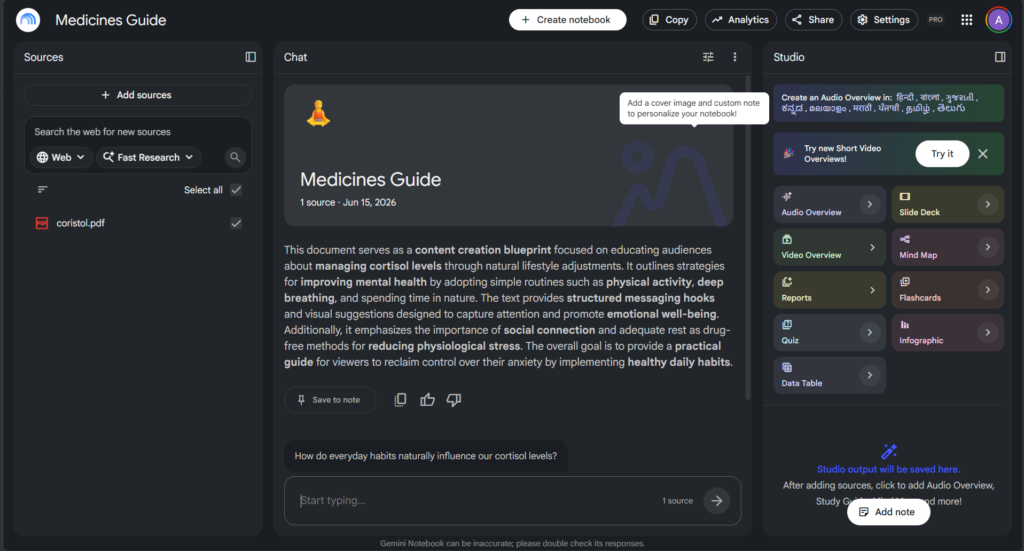
NotebookLM is a top choice for exam preparation. Unlike standard chatbots that pull information from the broader internet (and occasionally fabricate facts), NotebookLM operates strictly on the files you upload. You can upload PDFs, Google Docs, slides, and web links to build an isolated knowledge base for any class.
+-----------------------------------------------------------------------+
|                         YOUR UPLOADED SOURCES                         |
|   [Textbook PDF]    [Lecture Slides]    [Syllabus]    [Class Notes]   |
+-----------------------------------------------------------------------+
                                   │
                                   ▼
+-----------------------------------------------------------------------+
|                              NOTEBOOKLM                               |
|          Generates responses EXCLUSIVELY from your sources            |
|               Zero Open Web Search = Zero Hallucinations              |
+-----------------------------------------------------------------------+
                                   │
                                   ▼
+-----------------------------------------------------------------------+
|                           STUDY OUTPUTS                               |
|   • Inline Citations   • Study Guides   • Practice Quizzes   • Audio  |
+-----------------------------------------------------------------------+
- Key Specialty: Grounded document synthesis.
- Standout Feature: Converts uploaded lecture slides into synthetic “Audio Overviews”—two AI hosts discussing your material in a conversational podcast format.
- Free Tier Reality: Fully free with high source limits.
- Practical Example: Upload three dense chapters of a history textbook and prompt: “Create a 10-question practice test focusing on economic causes of the war, complete with page citations.”
💡 Copy-Paste Prompt Template:
“Act as an exam coach. Using only my uploaded lecture notes, create 5 multiple-choice questions focusing on key terms from Chapter 3. Provide answers and exact citations from the text at the bottom.”
2. Perplexity AI – Best for Citation-Backed Web Research
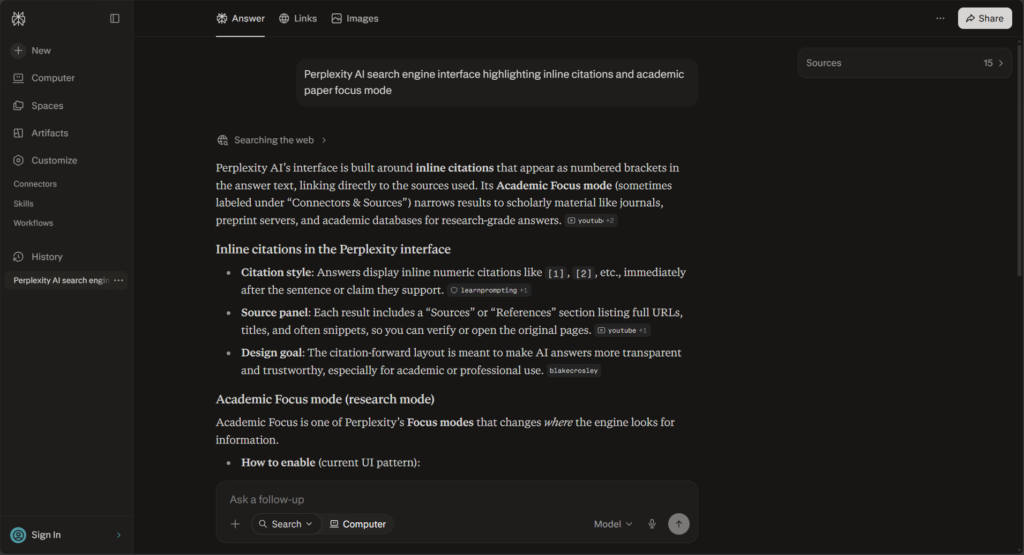
When you need verified web research for an essay, standard search engine results can be cluttered with sponsored content and SEO articles. Perplexity AI acts as an answer engine, citing every statement with direct links to academic databases, news outlets, and web publications.
- Key Specialty: Real-time web research with inline citations.
- Standout Feature: “Academic Focus Mode,” which filters out general blog posts to search academic engines like PubMed and ArXiv.
- Free Tier Reality: Free unlimited standard searches; Pro mode unlocks advanced reasoning models.
- Practical Example: Locating primary sources and recent statistical studies during the initial research phase of a political science paper.
💡 Copy-Paste Prompt Template:
“Find 3 peer-reviewed studies published within the last 3 years discussing the impact of remote work on employee retention. Summarize the core findings of each and provide direct links to the papers.”
3. ChatGPT – Best for Concept Explanations & Step-by-Step Tutoring
ChatGPT remains a widely used tool for general problem-solving, code debugging, and simplifying complex topics. When you need a concept explained at night and your professor is unavailable, ChatGPT works well as an on-demand study assistant.
- Key Specialty: General concept simplification and conversational study sessions.
- Standout Feature: Voice Mode for spoken revision sessions, vision features for graph analysis, and code sandbox execution.
- Free Tier Reality: Free access to standard models with daily rate limits on high-tier reasoning engines.
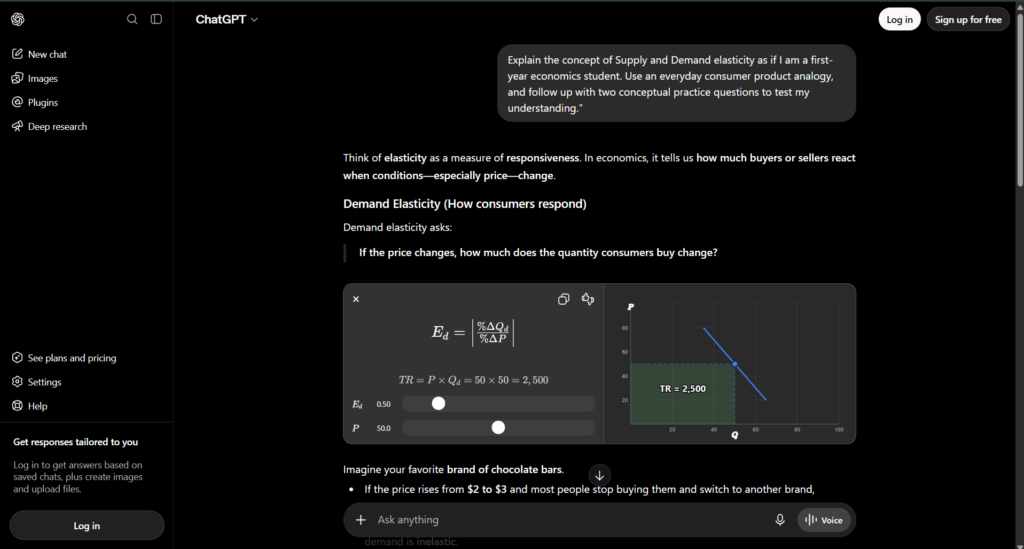
- Practical Example: Paste a complex passage from an economics paper and ask ChatGPT to break down the logic using a simple consumer product analogy.
💡 Copy-Paste Prompt Template:
“Explain the concept of Supply and Demand elasticity as if I am a first-year economics student. Use an everyday consumer product analogy, and follow up with two conceptual practice questions to test my understanding.”
4. Google Gemini – Best for Long Context & Google Workspace Integration
Google Gemini handles large inputs smoothly. Because it integrates natively with Google Workspace, it connects directly with Google Drive, Google Docs, and YouTube.
- Key Specialty: Deep Google Docs integration and long-document analysis.
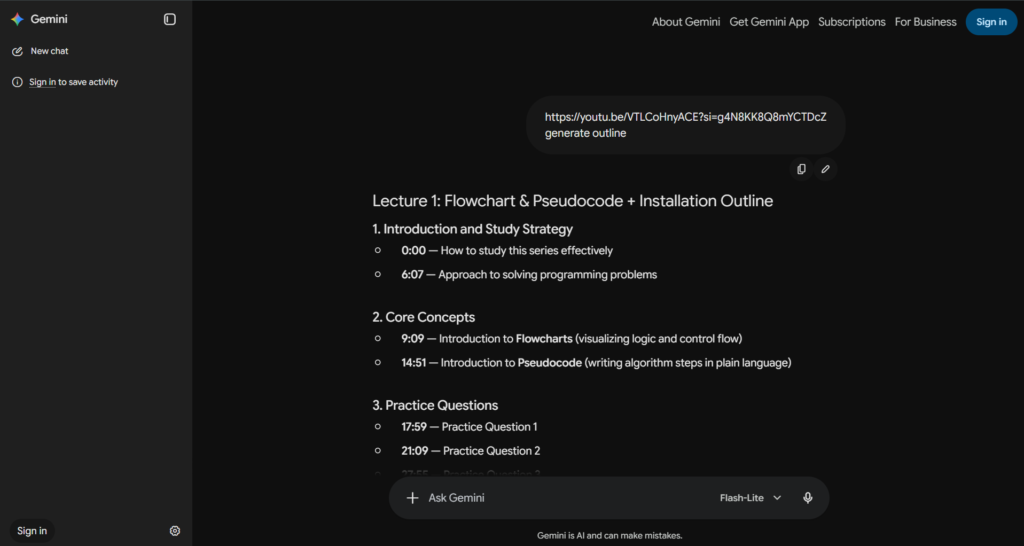
- Standout Feature: Processes public YouTube video URLs directly to generate summaries, timestamp breakdowns, and answer specific questions about lecture recordings.
- Free Tier Reality: Generous free access; Advanced tiers bundled with Google One plans.
- Practical Example: Paste the URL of a recorded 90-minute university guest lecture on YouTube into Gemini to generate an outlined summary categorized by timestamp intervals.
5. Grammarly AI – Best for Academic Tone, Clarity, and Essay Polishing
Grammarly extends beyond simple spell-checking. Its AI writing assistant operates inside web browsers, Microsoft Word, and Google Docs to help improve sentence structure, eliminate passive voice, and refine academic writing.
- Key Specialty: Real-time proofreading and tone refinement.
- Standout Feature: Citation generator and real-time academic tone adjustment.
- Free Tier Reality: Free plan covers core grammar, spelling, and conciseness; Premium unlocks full-sentence rewrites.
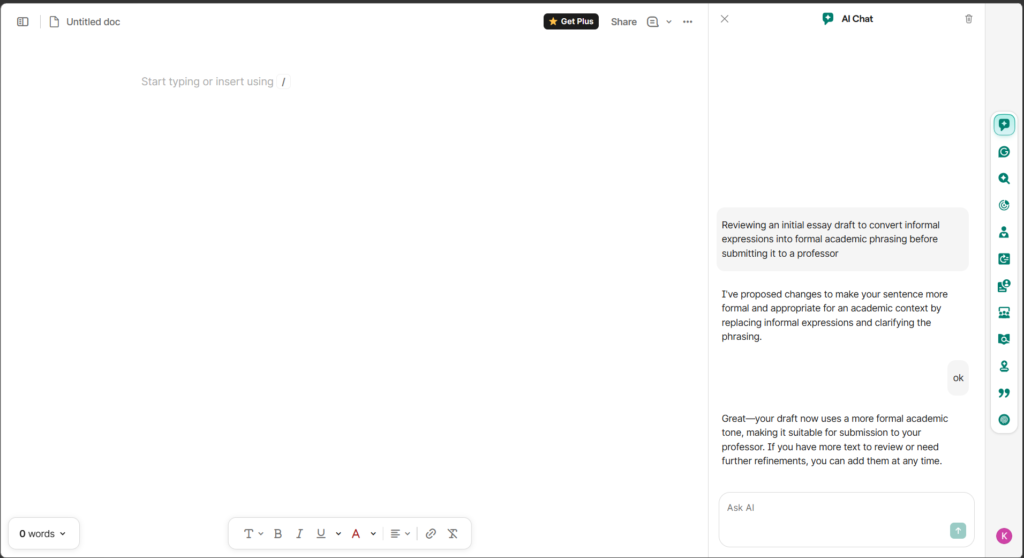
- Practical Example: Reviewing an initial essay draft to convert informal expressions into formal academic phrasing before submitting it to a professor.
6. WolframAlpha – Best for Exact STEM Computations & Step-by-Step Math
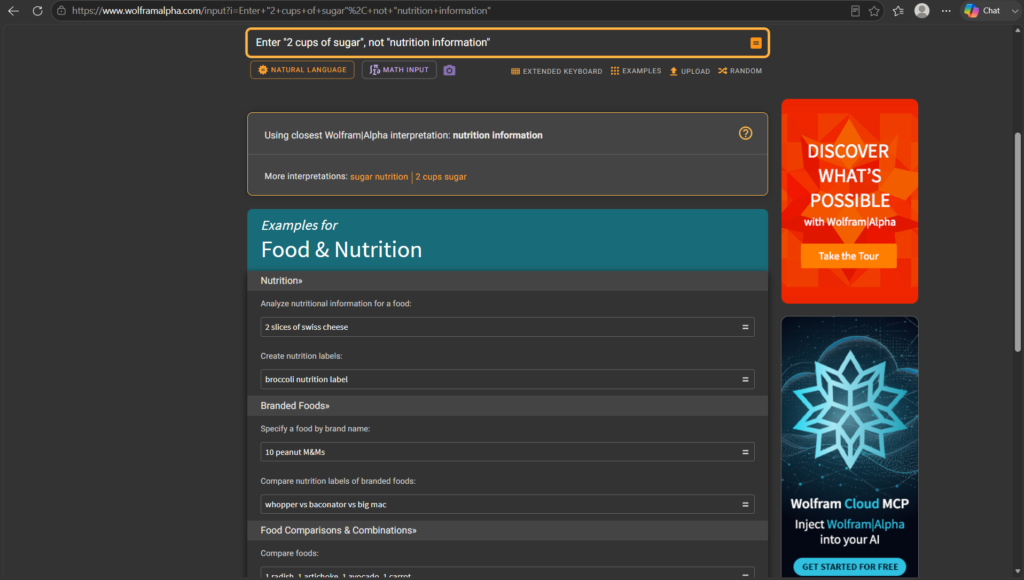
Generative language models can struggle with arithmetic because they predict text strings rather than computing equations. WolframAlpha is a computational knowledge engine built specifically for precise mathematical, scientific, and engineering calculations.
- Key Specialty: Exact computational mathematics and symbolic reasoning.
- Standout Feature: Detailed step-by-step resolution breakdowns for calculus, differential equations, linear algebra, and physics problems.
- Free Tier Reality: Free access to final computed results; step-by-step walkthroughs require a Pro subscription.
- Practical Example: Input a complex multi-variable calculus problem to verify your manual calculations and locate precisely where an operational error occurred.
7. Consensus – Best for Extracting Evidence from Peer-Reviewed Scientific Papers
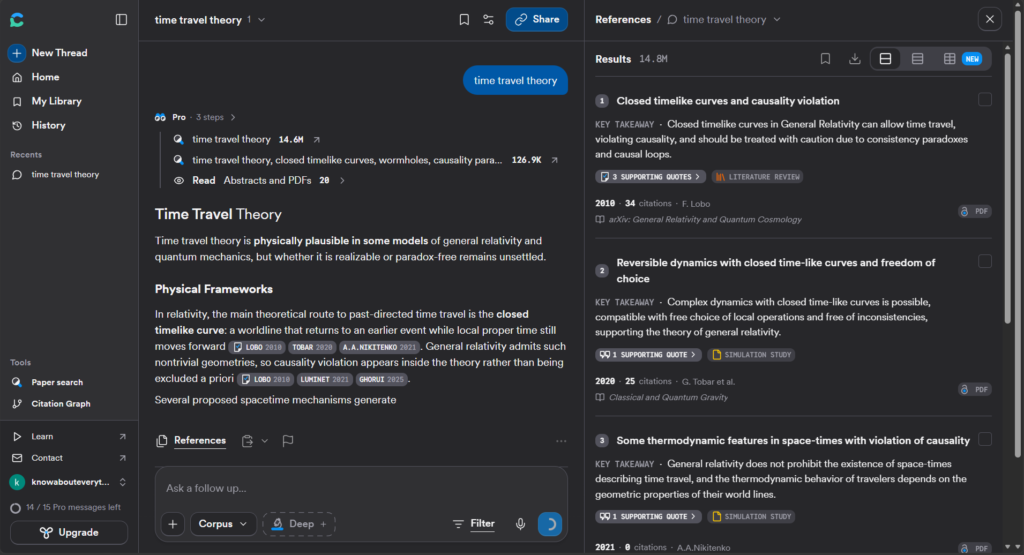
When writing a literature review or term paper, Consensus streamlines the process of searching through academic sources. It searches an index of over 200 million peer-reviewed papers and uses AI to extract findings backed by research.
- Key Specialty: Evidence extraction from peer-reviewed scientific literature.
- Standout Feature: “Consensus Meter,” which analyzes scientific publications on a specific query to display a scientific agreement percentage.
- Free Tier Reality: Free tier includes a set allowance of AI-powered searches per month.
- Practical Example: Search “Does sleep extension improve cognitive performance in athletes?” to get a breakdown of study sample sizes, methodologies, and conclusions.
8. Gamma AI – Best for Turning Study Notes into Visual Presentation Decks
Designing presentation slides from scratch can consume time that could be spent studying. Gamma AI accepts raw text, document outlines, or lecture notes and turns them into clean, structured presentation decks.
- Key Specialty: Instant text-to-presentation generation.
- Standout Feature: Export functionality directly to PowerPoint (.pptx) or PDF, along with responsive web cards for interactive studying.
- Free Tier Reality: Free initial credits provided upon registration.
- Practical Example: Import a finished 5-page history essay outline to generate an 8-slide presentation deck for a seminar assignment.
9. Otter.ai – Best for Automatic Lecture Transcription & Meeting Summaries
Focusing on a professor’s presentation can be difficult if you are trying to write down every word. Otter.ai records live class audio, generates real-time transcripts, and automatically highlights key vocabulary and action items.
- Key Specialty: Real-time audio transcription and lecture note-taking.
- Standout Feature: Speaker identification and searchable audio playback matched directly to written text words.
- Free Tier Reality: Free tier includes monthly transcription minutes with per-session time caps.
- Practical Example: Record a fast-paced lecture using Otter.ai, allowing you to focus on understanding the material during class while keeping searchable transcripts for review.
10. Anki + Quizlet AI – Best for Spaced Repetition & Flashcard Generation
Active recall and spaced repetition are effective methods for long-term retention. Combining Anki (open-source flashcard software) with AI flashcard generators—or using Quizlet’s built-in AI tools—allows you to convert study guides into flashcard decks automatically.
- Key Specialty: Algorithmic active recall and flashcard creation.
- Standout Feature: Automated creation of Q&A flashcards from uploaded PDFs, backed by memory-retention scheduling algorithms.
- Free Tier Reality: Anki is completely open-source and free on desktop/Android; Quizlet provides a functional free tier.
- Practical Example: Convert a 10-page study guide on medical terminology into a deck of 50 digital flashcards to review on your phone.
🎯 How to Choose the Right AI Tools for Your Major
Different fields require different tool combinations:
| Major / Field of Study | Primary Recommended Stack | Why This Combination Works |
| Engineering, CS & Math | WolframAlpha + ChatGPT + GitHub Copilot | Solves calculations, explains code syntax, and assists in step-by-step debugging. |
| Medicine, Biology & Pre-Med | Consensus + NotebookLM + Anki | Verifies medical research, synthesizes textbooks, and builds active recall decks. |
| Law, Humanities & History | Perplexity AI + NotebookLM + Grammarly | Processes long readings, provides verified sources, and polishes academic prose. |
| Business & Marketing | Google Gemini + Gamma AI + Otter.ai | Transcribes group discussions, analyzes data, and builds presentation decks. |
🔄 The Ultimate “AI Study Stack” Workflow: Step-by-Step
To stay productive without feeling overwhelmed, combine these tools into a single workflow:
+-----------------------------------------------------------------------+
|                          1. CAPTURE (Otter.ai)                        |
|             Transcribe live class lectures to raw text notes          |
+-----------------------------------------------------------------------+
                                   │
                                   ▼
+-----------------------------------------------------------------------+
|                     2. GROUND (NotebookLM / Gemini)                   |
|        Upload lecture text & slides to build a grounded study guide   |
+-----------------------------------------------------------------------+
                                   │
                                   ▼
+-----------------------------------------------------------------------+
|                   3. RESEARCH (Consensus / Perplexity)                |
|       Conduct verified academic searches for paper evidence           |
+-----------------------------------------------------------------------+
                                   │
                                   ▼
+-----------------------------------------------------------------------+
|                    4. RETAIN (Anki / Quizlet AI)                      |
|       Convert key facts into flashcards for daily active recall       |
+-----------------------------------------------------------------------+
                                   │
                                   ▼
+-----------------------------------------------------------------------+
|                     5. PRESENT (Grammarly / Gamma)                    |
|        Polish paper mechanics and generate final slide decks          |
+-----------------------------------------------------------------------+
❓ Frequently Asked Questions (FAQs)
Will using AI tools for homework get me flagged for plagiarism?
It depends on how you use them. Copying and pasting AI-generated text directly into an assignment violates academic integrity policies and can trigger AI detection flags. However, using AI as a study partner—for concept explanations, practice quizzes, grammar checks, or note organization—is widely accepted and encouraged by educators.
Which AI tools are 100% free for students?
NotebookLM (by Google) and Anki are completely free without functional paywalls. Tools like ChatGPT, Perplexity, Gemini, WolframAlpha, and Grammarly offer useful free tiers that provide enough functionality for most students without requiring a paid subscription.
What is the best AI tool for summarizing research papers and textbook chapters?
NotebookLM is a top choice for document summarization because it works strictly on the files you upload (PDFs, Docs, slides). This prevents AI hallucinations and ensures all summaries and answers come directly from your assigned study materials.
Can AI tools solve math equations with step-by-step explanations?
Yes. WolframAlpha is designed specifically for exact mathematical, statistical, and physics computations with step-by-step breakdowns. ChatGPT and Google Gemini are also helpful for explaining the underlying logic behind mathematical formulas in plain English.
Read about Hostinger vs AWS (2026): Which Hosting Is ACTUALLY Better for Beginners? – nowstrends.com
How To Differentiate between AI Agents vs. Chatbots? – nowstrends.com
Google Gemini vs ChatGPT (2026): Which AI Assistant Is Actually Better? – nowstrends.com
How to choose AI Translator Earbuds in 2026 – nowstrends.com
AI Trends in 2026: 10 Breakthrough Technologies Changing the Future – nowstrends.com
Cloud Computing in AI 2026: 7 Trends to Watch online – nowstrends.com
I like that the article emphasizes using AI as a study aid instead of a shortcut for completing assignments. One thingAI tools for students that also makes a big difference is encouraging students to verify important information against their class materials and instructors’ guidance, since developing that habit helps build stronger understanding over time.
[…] Read about What is the best AI tool for students in 2026? – nowstrends.com […]
[…] What is the best AI tool for students in 2026? – nowstrends.com […]
[…] Read about What is the best AI tool for students in 2026? – nowstrends.com […]
[…] What is the best AI tool for students in 2026? – nowstrends.com […]
[…] What is the best AI tool for students in 2026? – nowstrends.com […]