

Taking notes during a fast lecture is difficult. You may understand what your professor is saying but still miss important definitions, examples, formulas, or explanations while trying to write everything down.
AI note-taking tools can reduce some of that workload. Depending on the app, they can transcribe lectures, summarize PDFs, organize notes, answer questions about study material, and create flashcards or practice quizzes.
But AI should not replace the learning process.
The most useful AI note-taking tools help you capture, organize, understand, and review information. They are much less useful when students simply generate a summary and read it without checking the original material or testing themselves.
In this guide, we compare popular AI note-taking and study tools based on practical student needs, including lecture transcription, PDF support, note organization, study features, ease of use, and revision.
Quick Comparison of the Best AI Note-Taking Tools
| Tool | Best for | Lecture transcription | PDFs / documents | Flashcards / quizzes | Best feature |
|---|---|---|---|---|---|
| Gemini Notebook | Studying from source material | Depends on workflow | Yes | Yes | Source-based learning |
| Microsoft Copilot Notebooks | Microsoft 365 students | Depends on workflow | Yes | Yes | AI Study Guide |
| Notion AI | Organizing study material | Yes, with AI Meeting Notes | Yes | Limited | Flexible workspace |
| Otter.ai | Lecture transcription | Yes | Not its main focus | Limited | Real-time transcription |
| Goodnotes | Handwritten digital notes | Audio Notes | Yes | AI study features | Handwriting + study tools |
| Evernote | Large note collections | AI Meeting Notes | Yes | AI-assisted study | Search and organization |
| ChatGPT Study Mode | Interactive learning | Not primarily | Yes | Yes | Step-by-step studying |
Important: AI products change frequently. Features, free limits, pricing, supported devices, and account requirements may vary by plan, region, age, or institution. Check the provider’s current documentation before making a purchase.
What Is an AI Note-Taking Tool?
An AI note-taking tool uses artificial intelligence to help capture, organize, summarize, search, or study information.
Traditional note-taking requires you to listen, decide what is important, write it down, and organize it later. AI can automate some of those repetitive tasks.
For example:
Lecture → transcript → summary → key concepts → flashcards → quiz → revision
Some tools focus mainly on transcription. Others are designed around PDFs and documents. Newer AI study tools can go further by creating quizzes, flashcards, topic explanations, and interactive learning sessions.
How AI note-taking works
A typical AI-assisted study workflow has four stages:
- Capture: Record a lecture, type notes, or upload study material.
- Process: AI identifies topics, concepts, keywords, and other information.
- Organize: The material becomes a summary, transcript, notebook, or study guide.
- Review: You use questions, flashcards, quizzes, or explanations to test your understanding.
The fourth step is especially important.
Generating notes is not the same as learning them.
What can AI note-taking tools do for students?
Depending on the product, AI can help with:
- Lecture transcription
- Real-time captions
- PDF summarization
- Note organization
- Searching old notes
- Extracting important concepts
- Creating study guides
- Generating flashcards
- Creating quizzes
- Explaining difficult topics
- Identifying areas that need more revision
For example, Microsoft’s Copilot Notebook Study Guide can transform supported learning materials into summaries, topic pages, flashcards, quizzes, matching activities, and fill-in-the-blank exercises.
How We Evaluated These AI Note-Taking Tools
A student who records lectures has different needs from someone who mainly studies PDFs or handwritten notes.
For that reason, we don’t recommend choosing a tool simply because it has the longest feature list.
Our evaluation criteria
| Criterion | What we looked for |
|---|---|
| Note-taking | Quality of captured and organized information |
| Transcription | Ability to convert spoken lectures into usable text |
| Summarization | Whether important ideas are retained |
| PDF support | Ability to work with textbooks, slides, and documents |
| Study features | Flashcards, quizzes, explanations, and review |
| Organization | Ability to manage subjects and notes |
| Ease of use | How quickly a student can get started |
| Accessibility | Captions, searchable notes, and other helpful features |
| Privacy | Data and recording considerations |
| Cost | Free availability and paid requirements |
A practical way to test AI note-taking tools
If you want to compare several tools yourself, use the same material with each one.
For example, test every tool using:
- A 10-page lecture PDF
- A short lecture recording
- Two pages of class notes
- One textbook section
- A list of exam topics
Then give each tool the same tasks:
- Summarize the material.
- Identify five important concepts.
- Explain one difficult topic.
- Create 10 flashcards.
- Generate 10 practice questions.
- Identify areas that need further study.
This type of test gives you more useful information than simply copying features from product websites.
For publishers: If you perform this test yourself, add original screenshots and your observations. That is one of the strongest ways to make a comparison article genuinely different from generic AI-generated listicles.
1. Gemini Notebook — Best for Studying From Your Own Materials
Google renamed NotebookLM to Gemini Notebook in July 2026. Google describes it as the same standalone product with expanded connections to the wider Gemini ecosystem.
For students, the important feature is its source-based approach. Instead of asking an AI to answer questions from general knowledge alone, you can work with your own study material and explore it.
Google has also been expanding student-focused learning features around Gemini and Notebook workflows.
What students can use it for
Depending on the current feature set and account:
- Studying uploaded material
- Asking questions about source documents
- Creating summaries
- Creating flashcards
- Generating quizzes
- Exploring difficult concepts
- Building study resources from course material
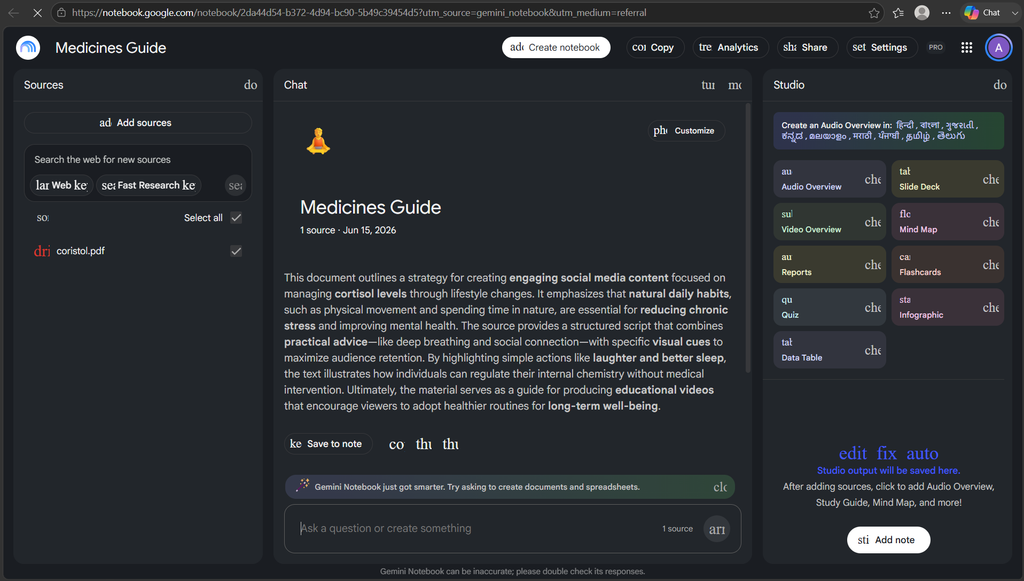
Practical example
Suppose you have a 30-page biology chapter on the human digestive system.
Instead of asking:
“Teach me biology.”
you can work from the chapter and ask:
“Create a study guide from this chapter. Identify the major concepts, explain the difficult sections in simple language, and create 15 questions I can use for exam revision.”
That produces a much more focused learning workflow.
Pros
- Strong fit for source-based study
- Useful for PDFs and other study material
- Can turn source material into revision resources
- Particularly useful when you want answers grounded in your own material
Cons
- Google’s product naming and feature set are evolving quickly
- Some capabilities depend on account availability
- AI-generated material still needs verification
- It should complement, rather than replace, your own notes and studying
Best for
Students who mainly study from PDFs, lecture material, readings, and other source documents.
2. Microsoft Copilot Notebooks — Best for Microsoft 365 Students
Microsoft’s Copilot Notebook Study Guide is designed to transform learning material into interactive study resources.
Microsoft says the Study Guide can work with materials such as class notes, PDFs, Word documents, PowerPoint presentations, OneNote content, and other supported references.
It can generate pages for summaries and topics, along with activities such as flashcards and quizzes.
What students can use it for
- Summarizing course material
- Creating topic pages
- Generating flashcards
- Creating quizzes
- Reviewing concepts
- Working with supported PDFs and Office files
- Organizing learning material inside a notebook
Practical example
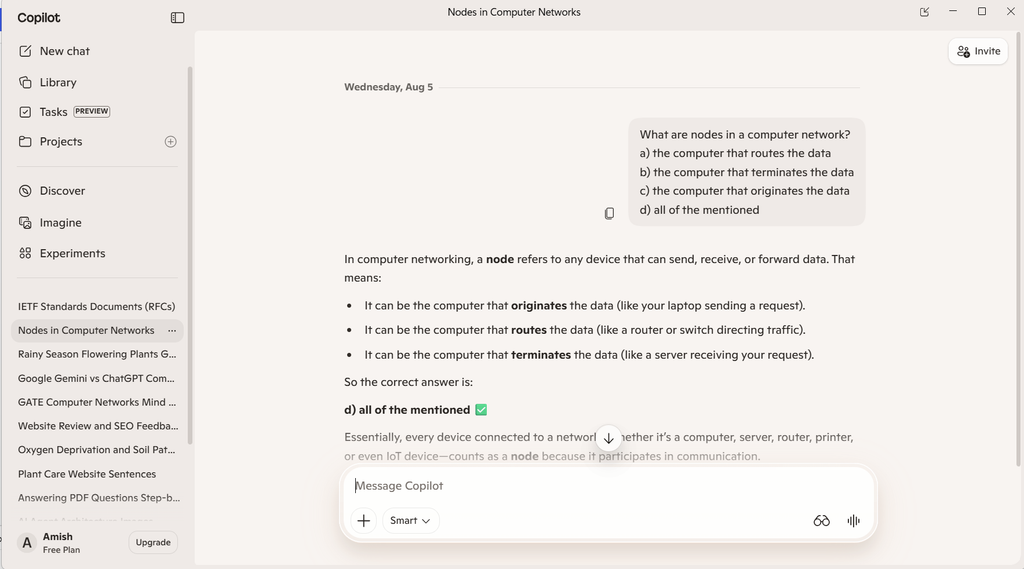
Student using an AI note-taking tool while studying on a laptopImagine your professor gives you:
- Three PowerPoint presentations
- One PDF chapter
- Your OneNote class notes
You can collect the relevant material in a Copilot Notebook and use the Study Guide to create a consolidated revision resource.
That can be much more useful than asking AI to summarize each file separately.
Pros
- Strong fit for students already using Microsoft 365
- Supports common academic document formats
- Includes several active-learning activities
- Keeps study material and revision resources together
Cons
- Availability depends on account, license, age, and platform
- Some features are still being rolled out
- Personal-account availability may differ from education or enterprise access
Microsoft currently documents different availability depending on education and enterprise licensing, so students should check their account rather than assuming the feature is included.
Best for
Students already using Microsoft 365, OneNote, Word, PowerPoint, or Microsoft education accounts.
3. Notion AI — Best for Organizing Study Material
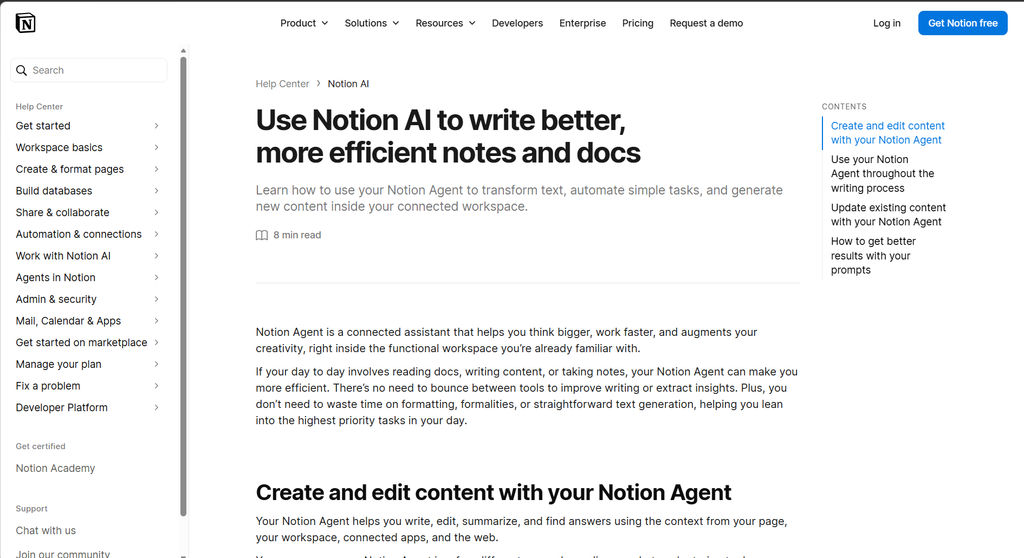
Notion is different from a dedicated lecture transcription app.
Its main advantage is organization.
A student can use one workspace for:
- Course notes
- Assignments
- Reading lists
- Project information
- Exam schedules
- Research
- Personal study plans
Notion also offers AI Meeting Notes, which can transcribe and summarize conversations and identify important points and action items.
What students can use it for
- Organizing subjects
- Creating course databases
- Writing notes
- Summarizing information
- Searching a knowledge base
- Managing assignments
- Capturing meeting or lecture-style notes
Practical example
Create a page called MCA Semester 3.
Inside it, create separate pages for:
- Database Management
- Mobile Application Development
- Big Data Analytics
- Programming
- Exam Preparation
You can then connect lecture notes, assignments, revision material, and deadlines within the same workspace.
Pros
- Very flexible
- Excellent for organizing several subjects
- Combines notes and task management
- Useful as a long-term student workspace
Cons
- The large number of features can be overwhelming
- Some AI functionality depends on the current plan
- It may be unnecessary if you only want lecture transcription
Best for
Students who want one organized workspace for their courses, notes, assignments, and projects.
4. Otter.ai — Best for Lecture Transcription
Otter.ai is more specialized than many of the other tools on this list.
Its education offering focuses on lecture transcription, real-time captions, searchable transcripts, and automated lecture notes.
What students can use it for
- Recording lectures where permitted
- Real-time transcription
- Searchable transcripts
- Captions
- Lecture summaries
- Reviewing specific parts of a lecture
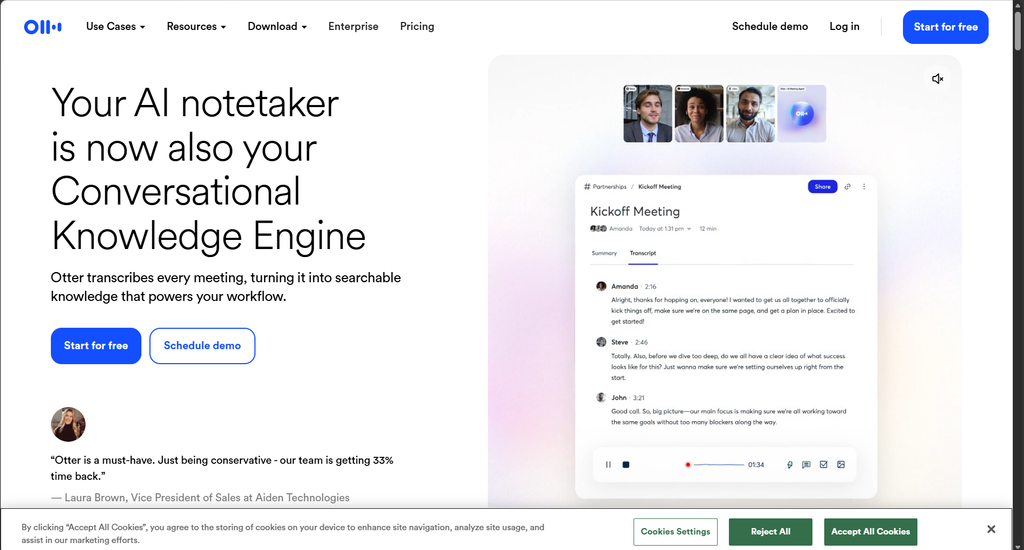
Practical example
Suppose your professor spends 90 minutes explaining a difficult topic.
Instead of trying to write every sentence, you can focus on listening and understanding while a permitted transcription workflow captures the lecture.
Later, you can search the transcript for a specific term such as:
“mitochondria”
and jump directly to the relevant section.
Pros
- Designed around spoken information
- Useful for long lectures
- Searchable transcripts can save review time
- Captions can support accessibility
Cons
- Audio quality affects transcription quality
- Recording a lecture may require permission
- A transcript can contain more information than you actually need
- It does not automatically guarantee good study notes
Best for
Students whose biggest problem is keeping up with spoken lectures.
5. Goodnotes — Best for Handwritten Digital Notes
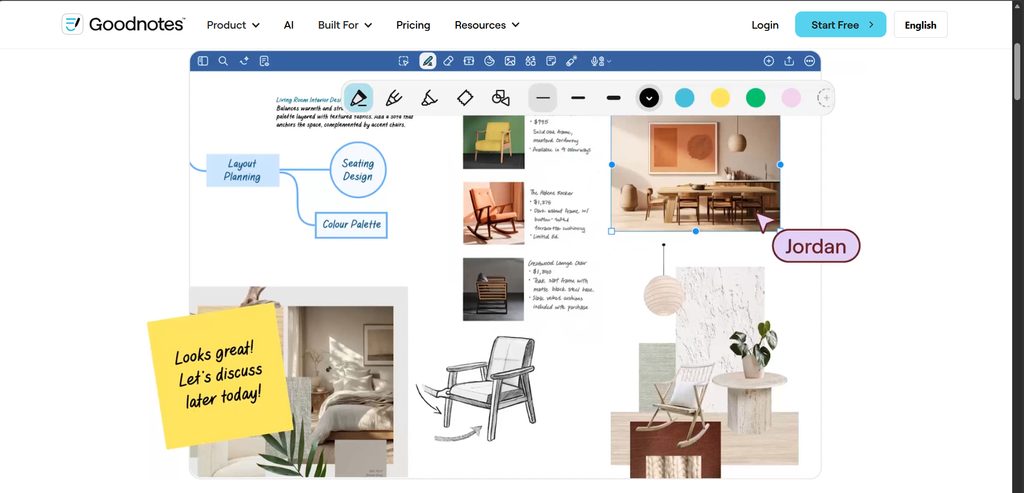
Goodnotes is a strong option for students who prefer handwriting on a tablet.
Instead of forcing yourself to type everything, you can write naturally, annotate PDFs, organize digital notebooks, and use AI-assisted study features where available.
Goodnotes promotes student workflows involving handwriting, PDF annotation, audio notes, and AI-assisted learning.
What students can use it for
- Handwritten notes
- PDF annotation
- Digital notebooks
- Audio notes
- Searching handwritten material
- AI-assisted study
- Organizing lecture slides
Practical example
For a chemistry class, you might annotate the professor’s PDF slides by hand while adding formulas and diagrams.
Later, you can use your digital notes as the foundation for revision rather than rewriting everything from scratch.
Pros
- Excellent for handwritten digital notes
- Useful for PDF-heavy courses
- Natural fit for diagrams and formulas
- Combines note-taking with digital organization
Cons
- Works best with a suitable tablet/stylus setup
- AI capabilities can vary by plan
- Not the best choice if your only requirement is live transcription
Best for
Students who prefer handwriting but want the convenience of digital storage and AI-assisted study.
6. Evernote — Best for Searching and Organizing Large Note Collections
Evernote is useful for students who accumulate notes over a long period.
Its current AI features include AI Assistant, semantic search, document processing, and AI Meeting Notes.
Semantic search is particularly useful when you remember the meaning of something but not the exact words you originally wrote.
What students can use it for
- Organizing notes
- Searching old material
- Finding related information
- Working with documents and attachments
- Summarizing information
- Capturing meetings or discussions
Practical example
Suppose you remember writing something about database normalization six months ago but can’t remember the exact title of the note.
A semantic search system can be more useful than a basic keyword search because it can look for related meaning rather than only the exact phrase.
Pros
- Strong note organization
- Useful for large collections
- Helpful search capabilities
- Good fit for long-term note storage
Cons
- Some advanced AI features require particular plans
- May be more than a student needs for basic note-taking
- AI-generated answers should still be verified
Best for
Students who maintain a large library of notes and need strong search and organization.
7. ChatGPT Study Mode — Best for Interactive Revision
ChatGPT is not primarily a lecture-recording app.
Its strength is what you can do after you have your study material.
ChatGPT’s current Study Mode is designed to help students build understanding through guided questions, step-by-step explanations, feedback, and practice. It can work with uploaded class notes, PDFs, slides, worksheets, and other study materials.
What students can use it for
- Understanding difficult concepts
- Reviewing notes
- Creating practice questions
- Flashcard-style review
- Step-by-step problem solving
- Preparing for exams
- Identifying weak areas
Practical example
Instead of asking:
“Give me 20 questions about data structures.”
try:
“I have an exam on data structures. Use my uploaded notes as the main source. Ask me one question at a time, wait for my answer, and explain my mistakes. Don’t give me the answer before I attempt each question.”
This changes AI from an answer generator into a practice partner.
Pros
- Flexible
- Strong for explanations
- Can work with uploaded study material
- Useful for interactive revision
- Study Mode supports step-by-step learning
Cons
- Not primarily a lecture transcription tool
- AI can make mistakes
- Students can become dependent on AI if they stop thinking independently
- Academic-use rules still apply
Best for
Students who already have notes and want help understanding, practicing, and revising them.
Which AI Note-Taking Tool Is Best for Different Students?
Start with your actual study problem.
| Your main need | Tool to consider | Why |
|---|---|---|
| Studying PDFs and source material | Gemini Notebook | Designed around source-based learning |
| Microsoft 365 coursework | Copilot Notebooks | Integrates with Microsoft’s study ecosystem |
| Live lecture transcription | Otter.ai | Focused on spoken lectures |
| Handwritten digital notes | Goodnotes | Built around handwriting and annotation |
| Course and assignment organization | Notion | Flexible academic workspace |
| Large archive of notes | Evernote | Strong search and organization |
| Interactive revision | ChatGPT Study Mode | Guided learning and practice |
| Flashcards and quizzes | Gemini Notebook / Copilot | Strong source-based study activities |
How to Use AI to Take Better Lecture Notes
Before the lecture
Prepare your study space before class.
You can:
- Create a page for the topic.
- Add the syllabus or previous notes.
- Review the learning objectives.
- Write down questions you want answered.
- Prepare headings for major topics.
For example, before a database lecture, create:
Topic: Database Normalization
- Definitions
- Normal forms
- Examples
- Common mistakes
- Questions
This makes your notes easier to review later.
During the lecture
Don’t try to capture every sentence.
Pay attention to:
- Definitions
- Examples
- Formulas
- Diagrams
- Important warnings
- Questions from students
- Concepts your professor repeats
- Information that isn’t obvious from the textbook
If you use a recording or transcription tool, make sure you have the required permission.
After the lecture
This is where AI can save substantial time.
Use your notes or transcript to:
- Create a short summary.
- Extract important concepts.
- Identify confusing sections.
- Create flashcards.
- Generate practice questions.
- Check the AI output against the original material.
Example
Imagine your lecture contains 15 pages of rough notes.
Instead of asking AI only:
“Summarize this.”
try:
“Turn these lecture notes into an exam revision sheet. Keep definitions, formulas, examples, and important distinctions. Identify any section that appears unclear or incomplete. Do not add information that isn’t supported by my notes.”
The second prompt gives the AI a much clearer job.
Generate exam-style questions
Ask for different difficulty levels:
- Easy: Definitions and basic recall
- Medium: Explanation and comparison
- Hard: Application and problem solving
Then answer the questions yourself before checking the AI-generated answer.
Create a self-test
Try:
“Create a 15-question test from these notes. Ask one question at a time. Wait for my answer before showing the explanation. At the end, identify the topics I need to review.”
This is much more useful than repeatedly reading the same summary.
Identify weak areas
After the quiz, ask:
“Based on the questions I missed, identify my three weakest topics and create a short revision plan for them.”
This creates a useful loop:
Study → test → find weaknesses → review → test again
Best AI Prompts for Student Note-Taking
| Goal | Example prompt |
|---|---|
| Summarize | “Summarize these notes into the most important concepts without adding unsupported information.” |
| Key concepts | “Identify the 10 concepts most important for understanding this topic.” |
| Flashcards | “Create 20 flashcards focused on definitions, concepts, comparisons, and important facts.” |
| Quiz | “Create a 15-question quiz based only on these notes. Mix easy, medium, and difficult questions.” |
| Weak areas | “Identify concepts in these notes that a student is most likely to misunderstand.” |
| Simplify | “Explain this topic in simple language, then gradually introduce the technical terminology.” |
| Revision sheet | “Create a one-page revision sheet containing definitions, formulas, key concepts, and common mistakes.” |
| Active recall | “Ask me one question at a time. Wait for my answer before explaining or asking the next question.” |
Prompt for lecture summaries
“Turn this lecture transcript into structured study notes. Use clear headings and bullet points. Preserve important definitions, examples, formulas, and explanations. Do not invent information that is not supported by the transcript.”
Prompt for exam preparation
“Use these notes to create an exam-preparation guide. Divide the material into high-priority, medium-priority, and low-priority topics. Then create practice questions for each high-priority topic.”
Prompt for difficult concepts
“Explain this concept at three levels: beginner, college student, and exam-ready. Give an example at each level and identify common misunderstandings.”
Are AI-Generated Notes Accurate?
AI-generated notes are useful, but they are not guaranteed to be accurate.
AI can:
- Misinterpret a sentence
- Omit important context
- Make transcription mistakes
- Simplify a complex idea incorrectly
- Generate incorrect explanations
- Produce a confident answer that is wrong
OpenAI’s current Study Mode documentation also notes that ChatGPT can make mistakes and recommends checking important information.
How to verify AI-generated notes
Use this simple process:
- Keep your original lecture notes or recording.
- Compare important definitions with the textbook.
- Verify formulas and calculations.
- Check names, dates, statistics, and quotations.
- Review source citations when available.
- Ask the AI where a particular statement came from.
- Check anything that seems unusual against the original material.
For important academic information, your textbook, professor, official course material, or primary source should remain the authority.
Is AI Note-Taking Safe for Students?
AI note-taking can be useful, but students should think carefully before uploading or recording material.
Consider whether your material contains:
- Personal information
- Other students’ information
- Private conversations
- Confidential university documents
- Unpublished research
- Sensitive academic records
What students should avoid uploading
Don’t upload sensitive information simply because an AI tool can process it. If information isn’t necessary for your study task, remove it first.
Think about recording permission
This is particularly important for lecture transcription. Before recording a class, check:
- Your university’s policy
- Your instructor’s rules
- Any applicable privacy requirements
- Whether other students may be recorded
The fact that an app technically allows recording does not automatically mean you are permitted to record.
Can Students Use AI Note-Taking Tools Without Cheating?
Using AI for studying is not automatically cheating. It Depends on how you use it and what your school or university permits.
Appropriate study uses
AI can be useful for:
- Summarizing your own notes
- Explaining difficult concepts
- Creating practice questions
- Generating flashcards
- Organizing study material
- Testing your understanding
- Identifying topics that need revision
Potentially prohibited uses
Problems can arise when students:
- Submit AI-generated assignments as their own
- Use AI during an exam where it is prohibited
- Use AI for coursework when the instructor has banned it
- Present AI-generated work as original work
- Upload confidential course material without permission
Always follow your institution’s academic-integrity and AI-use policies.
The goal should be: Use AI to improve your learning, not to avoid learning.
Should AI replace handwritten notes?
Not necessarily.
Writing your own notes forces you to decide what matters. That mental process can help with understanding and memory.
AI can then handle repetitive work such as:
- Cleaning up rough notes
- Summarizing long material
- Finding information
- Creating practice questions
- Organizing revision material
For many students, the strongest approach is:
Human notes + AI assistance
rather than:
AI notes + no personal processing
How to Choose the Right AI Note-Taking Tool
Before choosing an app, identify the problem you want to solve.
If you struggle to keep up with lectures
Look at transcription-focused tools.
If you mainly study PDFs
Consider a source-based AI notebook.
If you prefer handwritten notes
Consider a digital handwriting application.
If you already use Microsoft 365
Check whether Copilot Notebooks and Study Guide are available through your account. Microsoft currently provides different availability depending on education, enterprise, and personal-account access.
If you need to organize your entire academic life
Consider a workspace such as Notion.
If you have thousands of old notes
Look for strong search and retrieval features, such as those offered by Evernote.
If you already have notes and need help studying
An interactive learning tool such as ChatGPT Study Mode may be more useful than another note-taking application. It can work with uploaded PDFs and notes and guide you through questions and explanations.
Frequently Asked Questions
What is the best AI note-taking tool for students?
There is no universal winner. Gemini Notebook is a strong option for source-based study, Otter.ai is focused on lecture transcription, Goodnotes suits handwritten digital notes, Microsoft Copilot Notebooks works well within the Microsoft ecosystem, and ChatGPT Study Mode is useful for interactive revision.
What is the best free AI note-taking tool for students?
There isn’t one permanent answer because AI companies frequently change free plans, limits, and features. Compare the current free allowances and the features you actually need rather than choosing a tool simply because it has a free tier.
Can AI take notes from a lecture?
Yes. Dedicated transcription tools can convert spoken lectures into text, while other AI tools can summarize or organize the resulting transcript. Always check whether recording the lecture is permitted.
Can AI summarize college lecture notes?
Yes. You can provide written notes or a transcript and ask AI to organize the material into headings, key concepts, definitions, examples, and revision points.
Can AI turn notes into flashcards?
Yes. Several AI study tools can generate flashcards from your course material. Microsoft’s Copilot Notebook Study Guide, for example, includes a flashcard activity based on supported source files.
Can AI make quizzes from lecture notes?
Yes. AI can generate practice questions and quizzes from study material. Microsoft’s Study Guide includes a quiz activity, while ChatGPT Study Mode can also quiz students interactively.
What is the best AI tool for studying PDFs?
A source-based AI notebook or study workspace can be particularly useful because you can ask questions about your own course material instead of relying only on general AI knowledge.
Is AI note-taking better than handwritten notes?
Not automatically. AI is faster at capturing and organizing information, while handwritten notes can encourage active processing. Combining both methods can be more useful than completely replacing one with the other.
Is AI note-taking allowed in college?
It depends on your institution, instructor, and the specific activity. Rules for recording lectures, using AI for assignments, and using AI during assessments can differ. Always check your school’s policy.
Can AI-generated notes contain incorrect information?
Yes. AI can make transcription, factual, or interpretation errors. Important information should be checked against the original lecture, textbook, or another reliable source.
Are AI note-taking apps safe?
They can be useful, but students should review the provider’s privacy information before uploading sensitive material or recording other people. Never assume that an app’s ability to process information means you have permission to upload or record it.
Can AI replace taking notes in class?
AI can automate some parts of note-taking, but it should not replace active participation. Students still need to listen, interpret, question, and verify what they are learning.
What is the best AI tool for exam preparation?
Look for tools that support active learning rather than only summarization. Flashcards, quizzes, practice questions, guided explanations, and weak-topic identification are particularly useful. Gemini Notebook, Microsoft Copilot’s Study Guide, and ChatGPT Study Mode are examples worth evaluating.
Which AI Note-Taking Tool Should You Choose?
The best AI note-taking tool depends on how you study and what problem you need to solve.
| Category | Tool to consider |
|---|---|
| Best for source-based study | Gemini Notebook |
| Best for Microsoft 365 students | Microsoft Copilot Notebooks |
| Best for lecture transcription | Otter.ai |
| Best for handwritten digital notes | Goodnotes |
| Best for academic organization | Notion |
| Best for large note collections | Evernote |
| Best for interactive revision | ChatGPT Study Mode |
The biggest mistake is choosing an AI tool because it generates impressive-looking notes.
Instead, ask:
Does this tool help me understand the material, remember it, and test myself?
A practical student workflow is:
Capture → organize → verify → recall → practice → review
AI can help with every part of that process, but it cannot replace the student’s responsibility to understand the material.
The goal isn’t to create the most beautiful notes.
The goal is to learn.
Read more about Become an AI-Powered Software Engineer in 2026: Complete Roadmap
How to Choose the Right AI Tool for Your Needs?
What is the best AI tool for students in 2026? – nowstrends.com
[…] Read about Which AI Note-Taking Tools for Students in 2026? – nowstrends.com […]