

Choosing the right backend can save you months of development work—or create unnecessary problems later.
For most beginners building a mobile app, Firebase is one of the easiest backends to start with. If your application relies heavily on relational data and SQL, Supabase is often a better fit. Appwrite is worth considering when open-source software and self-hosting are important, while AWS Amplify makes the most sense for developers already working in the AWS ecosystem. A custom Node.js backend is the better option when you need complete control over your architecture and business logic.
There is no universal winner.
The best backend depends on your app’s data structure, authentication requirements, realtime features, security model, budget, development experience, and expected growth.
In this guide, we’ll compare the most popular backend options and show you how to choose the right one for your specific mobile app.
Which Backend Is Best for Mobile Apps?
Firebase is a strong overall choice for beginners and mobile-first applications, while Supabase is often better for apps built around relational data and PostgreSQL. Appwrite is a good option for open-source and self-hosted projects, AWS Amplify fits naturally into AWS-based applications, and a custom Node.js backend provides the greatest control.
| If you need… | Start by evaluating… |
|---|---|
| Beginner-friendly mobile backend | Firebase |
| React Native or Expo | Firebase or Supabase |
| SQL and relational data | Supabase |
| Realtime-first features | Firebase |
| Open-source/self-hosting | Appwrite |
| AWS integration | AWS Amplify |
| Maximum backend control | Node.js/custom backend |
| Fast MVP development | Firebase or Supabase |
| E-commerce or inventory | Supabase |
| Complex enterprise architecture | Custom backend or AWS |
These are starting recommendations, not hard rules. Your application’s architecture should make the final decision.
What Is a Backend in a Mobile App?
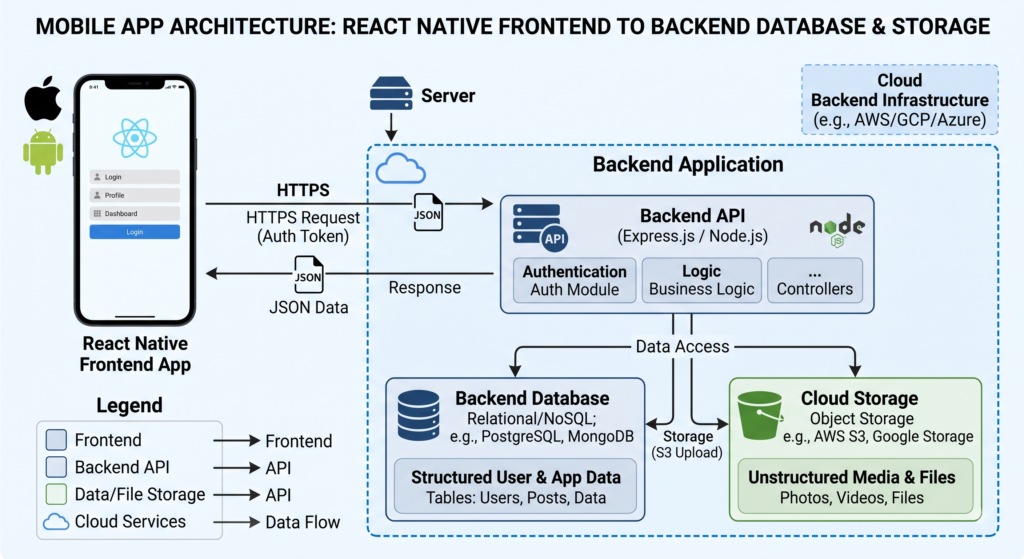
A backend is the part of an application that manages data, authentication, business logic, APIs, storage, and other services that shouldn’t be handled entirely by the mobile device.
A simplified architecture looks like this:
Mobile App
    ↓
Authentication / API
    ↓
Backend
    ├── Database
    ├── File Storage
    ├── Business Logic
    ├── Notifications
    └── External APIs
What Does a Mobile App Backend Do?
A backend can handle:
- User registration and login
- User profiles
- Database operations
- Product and content data
- File uploads
- Payments
- Orders
- Notifications
- Realtime updates
- Search
- Business rules
- Admin operations
- Background processing
For example, consider a medicine-delivery app.
The mobile application displays medicines and allows customers to place orders, but the backend might store:
Users
Stores
Medicines
Categories
Inventory
Orders
Order Items
Prescriptions
Payments
Delivery Status
The mobile app communicates with the backend whenever it needs to read or change this information.
Frontend vs Backend
| Mobile frontend | Backend |
|---|---|
| Screens | Database |
| Buttons | Authentication |
| Navigation | APIs |
| Forms | Business logic |
| Product display | File storage |
| Cart interface | Orders |
| User interface | Security |
| Local state | Cloud data |
If you’re learning mobile development, it helps to understand both sides. A framework such as React Native controls the user interface; the backend determines how your application stores, protects, and processes data.
Related guide: [React Native mobile app development guide]
Do You Need a Backend for Every Mobile App?
No.
A simple calculator, offline timer, flashlight, or standalone utility may not need a cloud backend.
You usually need one when your app requires:
- User accounts
- Cloud data
- Multiple-device synchronization
- Payments
- Orders
- Social features
- File uploads
- Remote notifications
- Online services
- An admin dashboard
The important question isn’t whether your app is “mobile.”
It’s whether your application needs shared, protected, remotely accessible data or services.
What Should You Look for in a Mobile App Backend?
Before comparing platforms, define what your application actually needs.
Authentication
Authentication determines how users sign in.
Common options include:
- Email and password
- Phone OTP
- Apple
- Other identity providers
- Session management
Firebase Authentication, for example, supports multiple sign-in methods and integrates with other Firebase services.
If your app requires phone-based login, check the provider’s current authentication and pricing requirements before committing to it.
Database
Your database choice can affect the entire application architecture.
SQL and relational databases
PostgreSQL and MySQL are examples of relational databases.
They work particularly well when your application contains connected data:
Customer
   ↓
Orders
   ↓
Order Items
   ↓
Products
   ↓
Categories
This model is common in:
- E-commerce
- Booking systems
- Inventory software
- Marketplaces
- SaaS applications
NoSQL and document databases
Document databases organize information differently and can be useful for applications where flexible documents and particular access patterns are more important than traditional relational structures.
Firebase Cloud Firestore is a prominent example.
The right question isn’t:
Which database is better?
Ask:
Which database model matches the way my application uses data?
Related guide: [SQL vs NoSQL databases explained]
File and Image Storage
Mobile apps frequently need cloud storage for:
- Profile photos
- Product images
- Videos
- PDFs
- Receipts
- Documents
- Prescription files
Look beyond simple storage capacity.
Also consider:
- File access permissions
- Bandwidth
- Upload limits
- Download costs
- Image optimization
- Backup requirements
APIs and Server-Side Logic
Some operations should never be performed entirely inside the mobile app.
Examples include:
- Processing payments
- Calling private third-party APIs
- Using secret API credentials
- Generating invoices
- Sending sensitive notifications
- Performing administrative operations
These can be handled by serverless functions or a custom backend.
Related guide: [REST API vs GraphQL]
Realtime Features
Realtime functionality can be important for:
- Chat
- Delivery tracking
- Live order status
- Collaborative applications
- Live dashboards
- Multiplayer features
But don’t choose a backend solely because it supports realtime.
Ask whether your product actually needs it.
Security
A secure backend needs more than a login screen.
You should consider:
- Authentication
- Authorization
- Database rules
- File permissions
- Input validation
- API protection
- Admin privileges
- Secret management
- Rate limiting
Firebase uses Security Rules, Supabase commonly uses PostgreSQL Row Level Security, and Appwrite provides resource-level permissions.
Scalability
Think about how your app could grow.
A prototype with 100 users has different requirements from an application serving 100,000 users.
Consider:
- Database performance
- Concurrent users
- Storage
- Bandwidth
- API requests
- Function execution
- Realtime connections
- Monitoring
- Backups
Pricing
Don’t choose a backend simply because it has a free tier.
Production costs can depend on:
- Database usage
- Storage
- Bandwidth
- Function execution
- Number of users
- Realtime connections
- Other cloud services
Always check current pricing before launching a production application.
Firebase for Mobile App Development
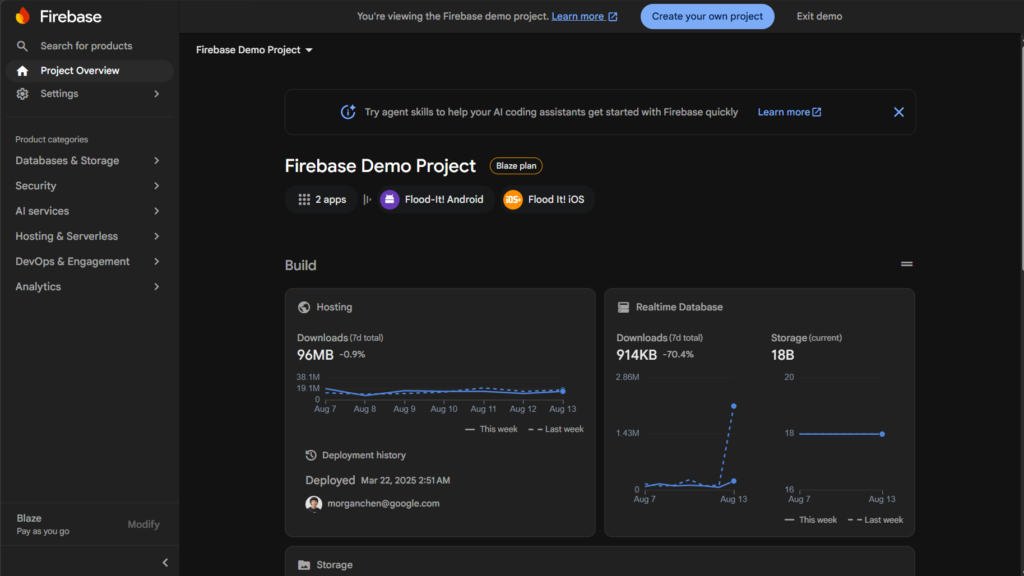
Firebase is one of the most established backend platforms for mobile developers.
Its ecosystem includes authentication, databases, storage, cloud functions, messaging, analytics, and crash reporting.
Firebase Features
Common Firebase services include:
- Firebase Authentication
- Cloud Firestore
- Realtime Database
- Cloud Storage
- Cloud Functions
- Firebase Cloud Messaging
- Analytics
- Crashlytics
Why Developers Choose Firebase
1. Strong mobile ecosystem
Firebase has a broad collection of services designed to support application development.
2. Easy starting point
Developers can add authentication, databases, storage, and other services without building an entire backend from scratch.
3. Realtime capabilities
Realtime Database and Firestore are useful for applications that need frequently synchronized data.
4. Authentication
Firebase supports multiple authentication methods.
5. Crash reporting
Crashlytics helps developers identify crashes and application stability problems.
Firebase Pros and Cons
| Pros | Cons |
|---|---|
| Beginner-friendly | NoSQL model isn’t ideal for every app |
| Strong mobile ecosystem | Usage-based costs need monitoring |
| Authentication | Firebase-specific architecture |
| Realtime capabilities | Migration can be difficult |
| Storage | Security Rules require understanding |
| Analytics and Crashlytics | Some advanced requirements may need additional services |
Who Should Use Firebase?
Firebase is a strong candidate for:
- Beginners
- Mobile-first applications
- Chat applications
- Realtime applications
- Fast MVPs
- Apps using Google’s ecosystem
When Should You Consider Something Else?
Consider another backend if your application depends heavily on relational data and you want PostgreSQL and SQL to be central to your architecture.
That doesn’t mean Firebase cannot handle complex applications. It means you should make sure its data model fits your use case.
Supabase for Mobile App Development
Supabase takes a different approach.
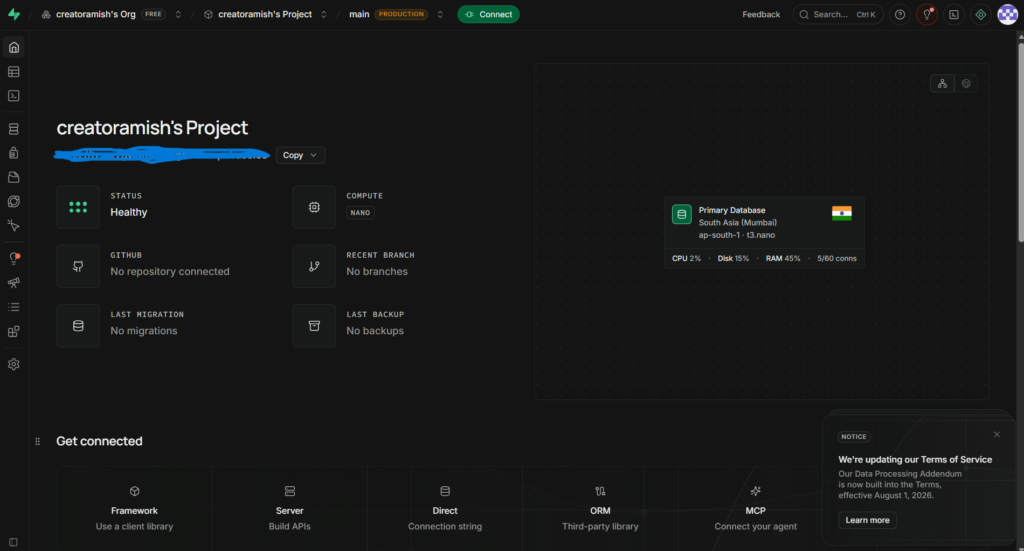
Its backend is built around PostgreSQL, making it particularly attractive for developers who prefer relational databases and SQL.
Supabase provides database, authentication, storage, realtime functionality, and Edge Functions. Its official documentation also provides dedicated React Native and Expo guidance.
Why PostgreSQL Matters
Imagine an e-commerce application:
Users
  ↓
Orders
  ↓
Order Items
  ↓
Products
  ↓
Categories
You might also have:
Products
  ↓
Inventory
  ↓
Stores
This type of relationship-heavy application is a natural use case for a relational database.
Supabase Features
Supabase provides:
- PostgreSQL
- Authentication
- Storage
- Realtime
- Edge Functions
- APIs
- Row Level Security
Why Developers Choose Supabase
PostgreSQL: Excellent fit for relational applications.
SQL: Useful for developers who already understand relational databases.
Row Level Security: Allows access policies to be enforced at the database level.
React Native and Expo support: Supabase provides official guidance for Expo React Native projects.
Supabase Pros and Cons
| Pros | Cons |
|---|---|
| PostgreSQL | Requires understanding relational database design |
| SQL | Can be more database-focused than beginners expect |
| RLS | Database security policies must be designed correctly |
| Storage | Some services may require additional architecture |
| Realtime | Not every Firebase-specific feature has a direct equivalent |
| React Native/Expo support | Pricing should be evaluated against actual usage |
Who Should Use Supabase?
Supabase is particularly worth considering for:
- E-commerce
- Booking applications
- Inventory systems
- Marketplaces
- SaaS applications
- Business applications
- Applications with complex relationships
Related guide: [Supabase vs Firebase: Which should you choose?]
Appwrite for Mobile App Development
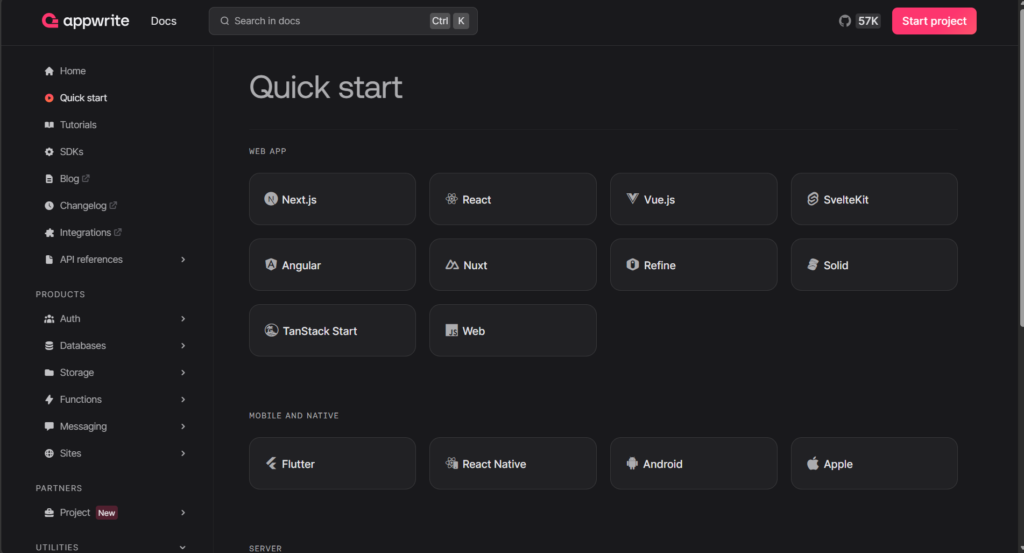
Appwrite is an open-source backend platform that provides services such as authentication, databases, storage, functions, messaging, and realtime functionality.
One of its biggest differences is that developers can use Appwrite Cloud or choose self-hosting.
Appwrite Features
- Authentication
- Databases
- Storage
- Functions
- Messaging
- Realtime
- Permissions
- APIs
Why Developers Choose Appwrite
Open source: Useful for teams that value open-source infrastructure.
Self-hosting: Gives organizations more control over deployment.
Integrated services: Common backend capabilities are available from one platform.
Permissions: Appwrite provides permissions for resources such as databases, rows, buckets, and files.
Appwrite Pros and Cons
| Pros | Cons |
|---|---|
| Open source | Smaller ecosystem than Firebase |
| Self-hosting | Self-hosting requires infrastructure knowledge |
| Authentication | Fewer third-party resources than major platforms |
| Storage | More responsibility when self-hosted |
| Functions | Smaller developer community |
| Realtime | May require more research for specific integrations |
Who Should Use Appwrite?
Consider Appwrite if:
- You want open-source software.
- You need self-hosting.
- You want an alternative to Firebase.
- Infrastructure control is important.
- Your team is comfortable managing backend infrastructure.
AWS Amplify for Mobile App Development
AWS Amplify is designed to help developers build applications using AWS services without manually configuring every part of the infrastructure.
Amplify’s current documentation covers authentication, data, storage and functions for supported application frameworks, including React Native.
Who Should Use AWS Amplify?
Amplify makes the most sense when:
- Your team already uses AWS.
- You need AWS integrations.
- You are building an enterprise application.
- Your developers understand AWS.
- You expect to use several AWS services.
The Main Drawback
AWS offers enormous flexibility, but that flexibility can also create a learning curve.
For a beginner building a simple MVP, AWS Amplify may be more infrastructure than you actually need.
Custom Node.js Backend for Mobile Apps
Not every application should use a BaaS.
A custom backend can be built with technologies such as:
- Node.js
- Express
- NestJS
- PostgreSQL
- MongoDB
- Redis
- Object storage
A simplified architecture looks like this:
React Native / Expo
        ↓
REST / GraphQL API
        ↓
Node.js Backend
        ↓
 ┌──────┼────────┐
 ↓      ↓        ↓
PostgreSQL Redis Storage
Advantages of a Custom Backend
You control:
- APIs
- Business logic
- Database architecture
- Authentication
- Third-party integrations
- Infrastructure
- Deployment
- Performance optimization
Disadvantages
You also become responsible for:
- Server deployment
- Security
- Database maintenance
- Backups
- Monitoring
- Scaling
- Error handling
- Infrastructure costs
When Should You Build a Custom Backend?
Consider it when:
- Your business logic is highly specialized.
- You need unusual integrations.
- You need complete infrastructure control.
- Your team has backend expertise.
- A BaaS creates architectural limitations.
For a first MVP, however, building everything yourself is often unnecessary.
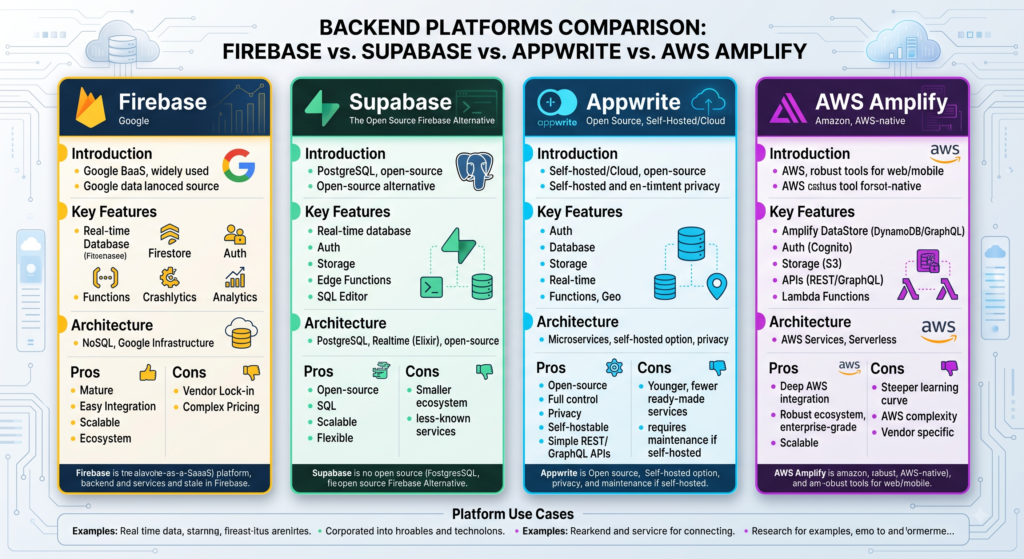
Firebase vs Supabase vs Appwrite vs AWS Amplify
Here’s the practical comparison.
| Feature | Firebase | Supabase | Appwrite | AWS Amplify |
|---|---|---|---|---|
| Authentication | Strong | Strong | Strong | Strong |
| Database | Firestore / Realtime DB | PostgreSQL | Database services | AWS-backed services |
| Storage | Yes | Yes | Yes | Yes |
| Realtime | Strong | Yes | Yes | AWS-dependent |
| Functions | Yes | Edge Functions | Functions | AWS integrations |
| Mobile development | Excellent | Excellent | Strong | Strong |
| Self-hosting | No | Depends on deployment | Yes | AWS infrastructure |
| SQL | No | Yes | Structured data | Depends on service |
| Best fit | Mobile/realtime | Relational apps | Open/self-hosted | AWS ecosystem |
The important point is that a feature checklist doesn’t tell you which architecture will be easier to maintain.
Firebase vs Supabase
Choose Firebase when:
- You want a mobile-focused ecosystem.
- Realtime features are important.
- You prefer a managed NoSQL approach.
- You want to move quickly.
Choose Supabase when:
- Your data is highly relational.
- You want PostgreSQL.
- You use SQL.
- You’re building e-commerce, SaaS, inventory, or booking software.
- Database-level security policies are important.
Firebase vs Appwrite
Firebase is generally the stronger candidate when its ecosystem and Google integrations matter.
Appwrite deserves consideration when:
- Self-hosting matters.
- Open-source software is important.
- You want greater control over deployment.
Supabase vs Appwrite
The central question is:
Do you want PostgreSQL at the center of your application, or is self-hosting/open-source control more important?
Supabase is especially compelling for relational applications.
Appwrite is especially compelling when its integrated open-source backend and self-hosting options match your requirements.
Supabase vs AWS Amplify
Supabase is often simpler if your main requirement is a PostgreSQL-based backend.
Amplify is more compelling when AWS is already part of your technology stack.
Firebase vs AWS Amplify
Firebase can be a simpler choice for many mobile-first applications.
Amplify becomes more attractive when your application needs deeper integration with AWS.
Which Backend Is Best for React Native and Expo?
React Native developers have several good options.
Expo’s current documentation identifies Firebase and Supabase as backend options for Expo applications.
Firebase + Expo
Consider Firebase when you need:
- Authentication
- Database
- Storage
- Messaging
- Analytics
- Crash reporting
Supabase + Expo
Supabase is especially attractive when you want:
- PostgreSQL
- SQL
- Authentication
- Storage
- Realtime
- Edge Functions
- Row Level Security
Appwrite + React Native
Appwrite provides React Native support for services such as authentication, databases, storage, functions, messaging, and realtime functionality.
AWS Amplify + React Native
Amplify is worth considering when your React Native application already depends on AWS services.
So, Which Should an Expo Developer Choose?
For a beginner:
Firebase is a strong starting point if you want a broad mobile ecosystem.
Supabase is an excellent choice if you are comfortable with SQL or expect your application to contain many relationships.
Don’t choose based only on which SDK is easiest to install. Your database architecture will matter much more as the application grows.
Best Backend for Different Types of Mobile Apps
| App type | Backend to consider | Why |
|---|---|---|
| Chat | Firebase | Realtime-oriented use case |
| Social media | Firebase / Supabase | Depends on data structure |
| E-commerce | Supabase | Products, orders and inventory are relational |
| Food delivery | Supabase / Firebase | Orders plus realtime status |
| Medicine delivery | Supabase / Firebase | Stores, inventory, orders and users |
| Booking | Supabase | Relational booking data |
| SaaS | Supabase | PostgreSQL and authentication |
| Simple MVP | Firebase / Supabase | Fast development |
| Self-hosted app | Appwrite | Self-hosting |
| AWS enterprise app | Amplify | AWS integration |
| Highly customized system | Custom backend | Maximum control |
Practical Example: Medicine Delivery App
Consider an application with:
- Customers
- Pharmacies
- Medicines
- Categories
- Inventory
- Orders
- Prescriptions
- Payments
- Delivery tracking
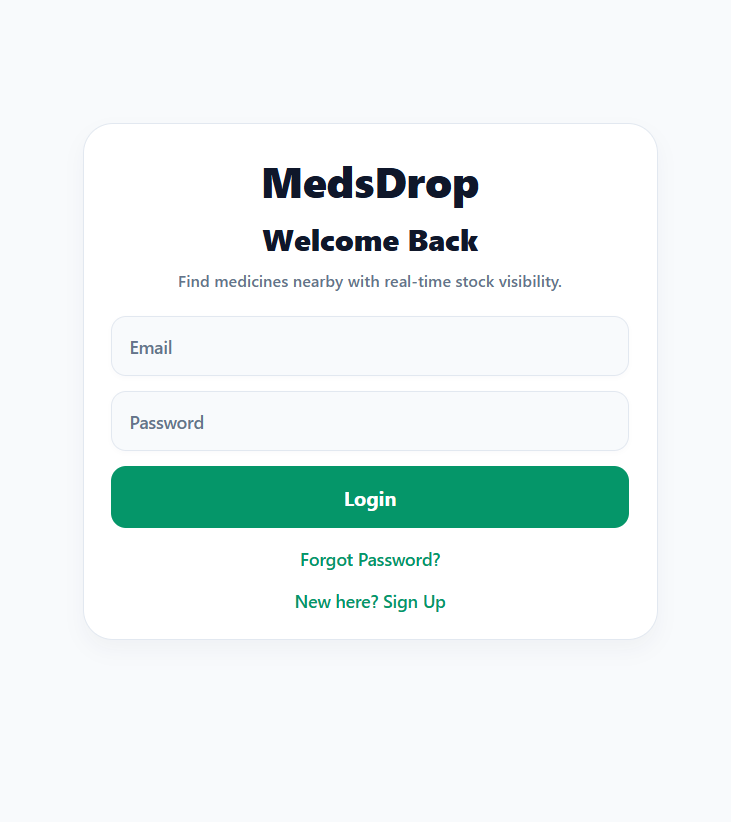
A possible database structure could be:
Users
 ├── Orders
 │     └── Order Items
 │            └── Medicines
 │
 ├── Prescriptions
 │
Stores
 ├── Medicines
 │     └── Inventory
 │
Orders
 └── Delivery Status
This is a relationship-heavy application.
My starting choice would be Supabase if PostgreSQL is a comfortable fit for the development team.
Firebase could still be a good choice if realtime functionality and Firebase’s mobile ecosystem are more important.
The important lesson is that the recommendation comes from the application’s architecture, not from a generic “best backend” list.
Backend Security: What Beginners Need to Know
Security should be designed before your application reaches production.
Authentication Is Not Authorization
Authentication answers:
Who are you?
Authorization answers:
What are you allowed to access?
For example, a customer may be authenticated but should not be able to retrieve another customer’s orders.
Firebase Security Rules
Firebase Security Rules can control access to Firestore and other Firebase resources.
The important part is to design and test rules based on actual user permissions rather than relying on the mobile interface to hide information.
Supabase Row Level Security
With Supabase, PostgreSQL Row Level Security can restrict which rows a user can access.
For example:
orders

id
user_id
total
status
A policy could allow a user to retrieve only orders where user_id matches their authenticated user ID.
That is a much stronger approach than simply filtering the data inside React Native.
Appwrite Permissions
Appwrite provides permissions for resources such as databases, rows, buckets, and files.
This can be useful when applications have different roles, such as:
Customer
Store Manager
Delivery Agent
Administrator
Never Put Admin Secrets in a Mobile App
This deserves special attention.
Never place service-role keys, private API keys, database passwords, or other privileged credentials directly inside a mobile application.
A mobile application can be inspected.
Use a trusted server environment instead:
Mobile App
    ↓
Authenticated Request
    ↓
Server Function / Backend
    ↓
Private Credential
    ↓
Third-Party API
This is especially important for payment providers and administrative database operations.
How Much Does a Mobile App Backend Cost?
There is no meaningful universal answer to “Which backend is cheapest?”
Your workload matters more than the platform’s headline price.
What Can Increase Backend Costs?
Common cost drivers include:
- Database operations
- Storage
- Bandwidth
- API requests
- Function execution
- Realtime connections
- Number of users
- File downloads
A Better Way to Estimate Cost
Instead of asking:
Is Firebase cheaper than Supabase?
Ask:
How many users will I have, how much data will I store, how many requests will they make, and how much bandwidth will they consume?
That produces a much more useful estimate.
Plan for Growth
| Stage | What to focus on |
|---|---|
| Prototype | Ease of development |
| 100 users | Reliability |
| 1,000 users | Usage and basic costs |
| 10,000 users | Performance and cost |
| 100,000+ users | Architecture and scaling |
Don’t over-engineer a prototype.
But don’t ignore the architecture either.
BaaS vs Custom Backend
Firebase, Supabase, and Appwrite follow the broader Backend-as-a-Service model.
What Is BaaS?
A BaaS gives you managed backend capabilities such as:
- Authentication
- Database
- Storage
- APIs
- Functions
- Realtime features
BaaS vs Custom Backend
| Factor | BaaS | Custom backend |
|---|---|---|
| Initial setup | Fast | Slower |
| Infrastructure control | Lower | High |
| Maintenance | Lower | Higher |
| Customization | Moderate to high | Very high |
| Beginner-friendly | Generally easier | More difficult |
| MVP development | Excellent | Moderate |
| Server management | Limited | Your responsibility |
| Vendor dependency | Higher | Lower |
When BaaS Makes More Sense
Choose BaaS when:
- You’re building an MVP.
- You’re a small team.
- You want to launch quickly.
- You don’t want to manage servers.
- Your requirements fit the platform.
When a Custom Backend Makes More Sense
Choose a custom backend when:
- You have complex business logic.
- You need unusual integrations.
- You need infrastructure control.
- Your team has backend expertise.
- A BaaS would create significant limitations.
How to Choose the Right Backend
Before creating your backend project, answer these questions.
1. What type of data will the app store?
Mostly documents, or highly relational records?
2. Does the app need realtime updates?
If yes, identify exactly where realtime is required.
3. How will users authenticate?
Email, phone, Google, Apple, or something else?
4. How much storage will you need?
Think about images, videos, PDFs, and user uploads.
5. What are the security requirements?
Who can read, create, update, and delete each type of data?
6. What will the application cost at scale?
Estimate users, requests, storage and bandwidth.
7. How difficult would migration be?
Think about your database model and authentication architecture before committing.
8. What technology do you already know?
A backend you understand is often more useful than a theoretically superior platform you cannot confidently secure or maintain.
A Simple Backend Decision Tree
What are you building?
        ↓
     Mobile App
        ↓
Need cloud data/authentication?
        ↓
       YES
        ↓
Is your data highly relational?
       ↓              ↓
     YES              NO
      ↓                ↓
  Supabase          Firebase

Need self-hosting?
        ↓
     Appwrite

Already using AWS heavily?
        ↓
   AWS Amplify

Need complete infrastructure control?
        ↓
 Custom Node.js backend
Use this as a starting point, not a strict rule.
Common Backend Selection Mistakes
Choosing the Most Popular Backend
Popularity doesn’t guarantee architectural compatibility.
Choosing Only by Free Pricing
Your production workload may look completely different from your development workload.
Ignoring Database Design
This is one of the most expensive mistakes to discover later.
Design your data relationships before choosing the database.
Treating Security as an Afterthought
Authentication alone does not secure an application.
You need authorization and access policies too.
Putting Secrets in the Mobile App
Never expose privileged credentials in the client.
Overengineering a Small MVP
A 100-user application doesn’t need the architecture of a global social network.
Start with a clean, maintainable foundation.
Ignoring Migration
Before committing to a platform, ask:
“What happens if I need to leave this service later?”
That question can reveal hidden architectural dependencies.
Which Backend Should You Choose?
Here is the practical answer:
| Your situation | Best starting choice |
|---|---|
| First mobile app | Firebase |
| React Native + Expo | Firebase or Supabase |
| SQL-heavy app | Supabase |
| E-commerce | Supabase |
| Inventory system | Supabase |
| Realtime-first app | Firebase |
| Self-hosted project | Appwrite |
| Open-source preference | Appwrite |
| AWS-based application | AWS Amplify |
| Highly customized backend | Node.js/custom backend |
| Quick MVP | Firebase or Supabase |
The Short Version
Choose Firebase if you want a mature mobile-focused ecosystem and a fast path from idea to working application.
Choose Supabase if PostgreSQL, SQL, and relational data are central to your application.
Choose Appwrite if open source and self-hosting are important.
Choose AWS Amplify if your application already belongs to the AWS ecosystem.
Choose a custom Node.js backend when you need complete control or highly specialized backend logic.
The best backend isn’t the one with the longest feature list.
It’s the one that fits your data model, security requirements, development skills, budget, and growth plans.
Frequently Asked Questions
Which backend is best for mobile app development?
Firebase is a strong starting point for many beginners and mobile-first apps. Supabase is often a better fit for relational applications built around PostgreSQL. Appwrite is attractive for self-hosted projects, AWS Amplify for AWS-based applications, and custom Node.js backends for highly customized systems.
Is Firebase the best backend for mobile apps?
Firebase is one of the strongest options, particularly for mobile-first and realtime applications. However, it isn’t automatically the best choice for every app. Database structure and project requirements should determine the decision.
Is Supabase better than Firebase?
Not universally. Supabase is especially attractive for SQL and relational data, while Firebase can be a better fit for certain mobile-first and realtime use cases.
Is Supabase good for React Native?
Yes. Supabase provides official documentation for React Native and Expo applications, including database, authentication, storage, and client configuration guidance.
What is the best backend for Expo?
Firebase and Supabase are both strong options for Expo. Choose based on your data model, authentication requirements, realtime needs, and familiarity with SQL.
Which backend is best for Android and iOS?
Firebase, Supabase, Appwrite, and AWS Amplify can all support cross-platform mobile applications. The better choice depends on the application’s backend requirements rather than the mobile operating system.
Is Firebase better than Appwrite?
Firebase has a larger ecosystem and extensive mobile tooling. Appwrite may be better when open-source software and self-hosting are important.
Is Appwrite better than Supabase?
It depends on your priorities. Supabase is particularly attractive for PostgreSQL and relational data. Appwrite is particularly attractive when self-hosting and open-source backend infrastructure matter.
Which backend is best for an e-commerce app?
Supabase is a strong option because e-commerce applications commonly contain relational data involving products, categories, customers, orders, order items, and inventory.
Which backend is best for a chat app?
Firebase is a strong option for realtime chat applications. Supabase and Appwrite are also worth evaluating if their database, authentication, and realtime capabilities better fit your application.
Which backend is best for a medicine delivery app?
Supabase is worth considering because medicine delivery involves relationships between users, stores, medicines, inventory, orders, prescriptions, and payments. Firebase can also be a strong choice when realtime mobile functionality is a priority.
Is a custom Node.js backend better than Firebase?
Not necessarily. Node.js gives you more control but also creates more development and maintenance work. Firebase is usually faster to launch with, while a custom backend becomes more attractive when your business logic or infrastructure requirements are highly specialized.
Is Supabase free?
Supabase has different pricing options, including development-oriented options. Always check its current pricing and estimate your actual database, storage, bandwidth, and function usage before launching.
Can I migrate from Firebase to Supabase?
Yes, but migration can require more than copying data. Firebase’s data model and Supabase’s PostgreSQL architecture differ, so you may need to redesign database structures, queries, authentication, and application code.
Can I use multiple backend services in one app?
Yes. But every additional service adds configuration, security, monitoring, and maintenance. Use multiple providers only when the benefit justifies that complexity.
Can I change my backend later?
Yes, but migration becomes harder as your application grows. Database structure, authentication, storage, APIs, and business logic can all be affected.
Read about Supabase vs MongoDB Atlas: Best Cloud Database 2026 – nowstrends.com
How to Choose the Right AI Tool for Your Needs?
What is the best AI tool for students in 2026? – nowstrends.com
How To Differentiate between AI Agents vs. Chatbots? – nowstrends.com
Cloud Computing in AI 2026: 7 Trends to Watch online – nowstrends.com
[…] Read about How to choose Backend tool for Mobile App Development in 2026? […]
[…] How to choose Backend tool for Mobile App Development in 2026? […]